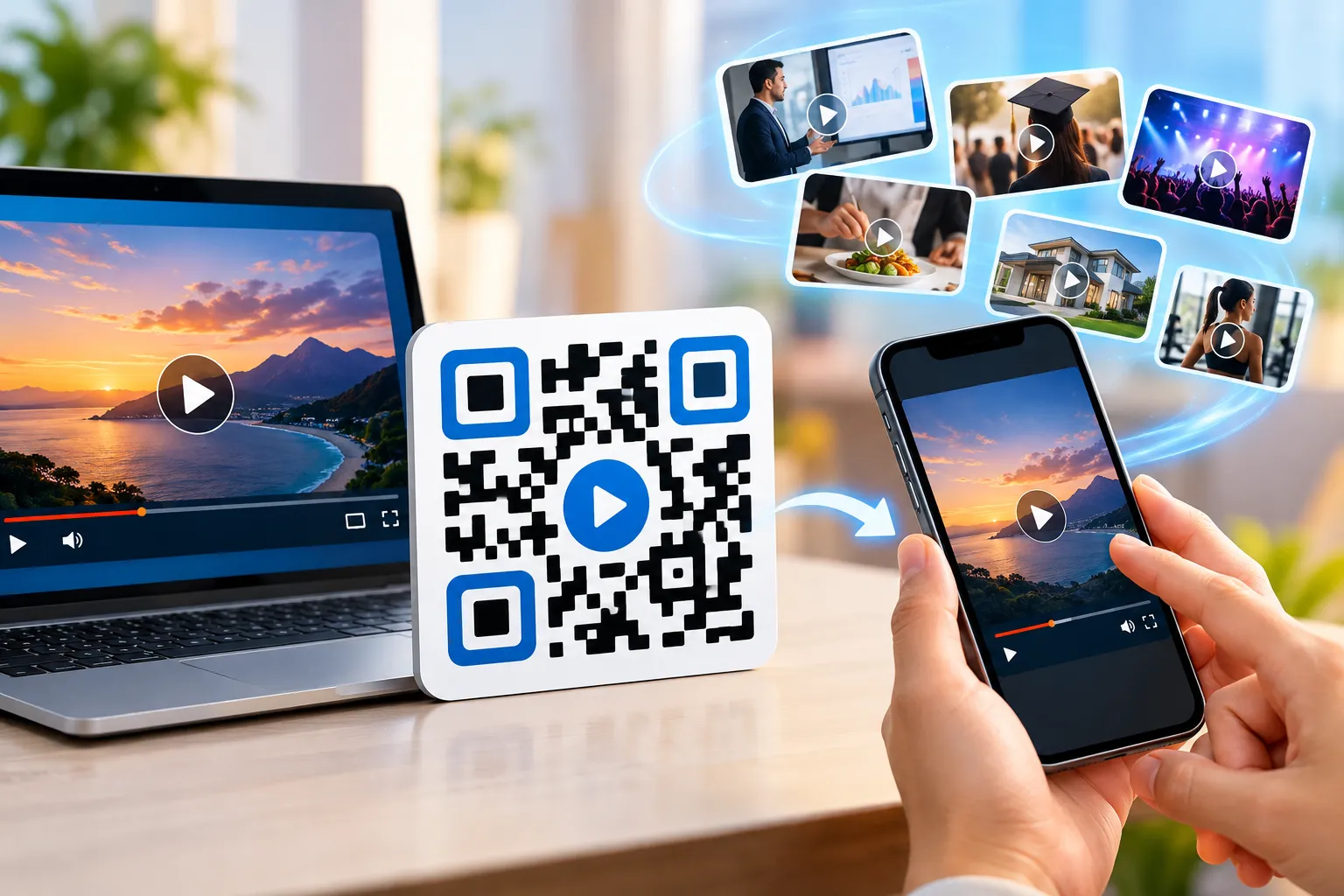
Video content continues to dominate digital communication in 2026. Whether you're promoting a product, educating customers, sharing event highlights, or providing training materials, video remains one of the most effective ways to capture attention.
However, sharing videos is not always convenient. Long URLs look unprofessional, and manually typing links can create friction for users.
This is where a video QR code becomes valuable.
A QR code for video allows users to scan a code using their smartphone and instantly watch a video without typing a web address. Businesses, educators, marketers, event organizers, restaurants, and real estate professionals are increasingly using video QR codes to improve engagement and simplify content sharing.
In this guide, you'll learn:
- What a video QR code is
- How to create a QR code for a video
- Benefits of video QR codes
- Marketing and business applications
- Best practices for better results
- Common mistakes to avoid
Let's get started.
What Is a Video QR Code?
A video QR code is a scannable QR code that directs users to a video when scanned.
The video may be hosted on:
- YouTube
- Vimeo
- Company website
- Landing page
- Cloud storage
- Social media platform
- Video hosting service
Instead of sharing a lengthy URL, you simply provide a QR code.
When someone scans the QR code, the video opens automatically on their mobile device.
This process makes video sharing faster, easier, and more engaging.
Common names include:
- Video QR Code Generator
- QR Code for Video
- Video to QR Code
- QR Code Video Link
- Video Sharing QR Code
- YouTube QR Code Generator
Why Video QR Codes Are Growing Rapidly in 2026
Consumer behavior has changed dramatically.
Mobile devices have become the first screen for discovering information, watching videos, and interacting with brands. Because people are constantly on the move, they prefer experiences that provide immediate access instead of requiring extra steps such as typing long web addresses or searching manually.
A video QR code removes several barriers:
- No typing required
- Faster access to content
- Better mobile experience
- Higher engagement rates
- Improved user convenience
Businesses also benefit because QR codes can connect offline marketing materials with digital experiences.
Examples include:
- Product packaging
- Flyers
- Business cards
- Brochures
- Event banners
- Restaurant menus
- Store displays
A simple scan can instantly deliver rich video content.
Key Benefits of Using a Video QR Code
1. Instant Video Access
Users can watch content immediately.
Instead of searching online or typing URLs, a scan takes them directly to the video.
This creates a smoother user experience.
2. Higher Engagement
Video naturally captures attention better than plain text.
Adding a QR code that leads to video content encourages users to interact with your brand.
This is why many marketers use video marketing QR code strategies.
3. Improved Customer Education
Videos can explain products, services, and processes more effectively than written instructions.
Examples:
- Product setup tutorials
- Customer onboarding videos
- User guides
- Training materials
4. Better Marketing Performance
A video QR code can be tracked to measure performance.
Businesses can analyze:
- Scan count
- Device type
- Location data
- Time of scans
These insights help optimize campaigns.
5. Reduced Printing Costs
Instead of printing extensive information, a single QR code can connect users to a detailed video.
This keeps marketing materials clean and professional.
How to Create a QR Code for a Video
Creating a video QR code takes only a few minutes.
Step 1: Upload or Choose Your Video
Your video can be hosted on:
- YouTube
- Vimeo
- Website
- Cloud storage
Copy the video URL.
Step 2: Open a Video QR Code Generator
Visit a trusted video QR code generator such as FastQR.
Paste your video URL into the generator.
Step 3: Generate the QR Code
Click Generate.
Once the video URL is added, the platform generates a unique QR code connected to that content, making it easy for viewers to access the video directly from their smartphones.
This process is often called:
- Video to QR Code
- Convert Video to QR Code Online
- Create QR Code for Video
Step 4: Customize the Design
You can customize:
- Colors
- Logo
- Frame
- Shape
- Branding elements
Adding brand elements such as a logo, company colors, or a custom frame can make the QR code look more trustworthy and recognizable, which may encourage more people to interact with it.
Step 5: Test Before Publishing
Always test the QR code on multiple devices.
Verify that:
- The video opens correctly
- Loading speed is acceptable
- Mobile experience is smooth
Step 6: Download and Share
After testing the QR code successfully, save the final version and place it wherever your audience is most likely to engage with your content, including:
- Flyers
- Posters
- Product packaging
- Business cards
- Menus
- Marketing materials
Dynamic vs Static Video QR Codes
Understanding this difference is important.
Static Video QR Code
Characteristics:
- Permanent URL
- Cannot be edited
- Usually free
- No analytics
Best for:
- Personal use
- Temporary campaigns
Dynamic Video QR Code
Characteristics:
- Editable destination URL
- Scan analytics
- Better campaign management
- Professional marketing use
Best for:
- Businesses
- Marketing campaigns
- Product launches
- Events
For most organizations, a dynamic video QR code provides greater flexibility.
Best Business Use Cases for Video QR Codes
Product Demonstration Videos
A product demo video QR code helps customers understand how a product works.
Popular industries:
- Electronics
- Software
- Home appliances
- Beauty products
Scanning the code instantly shows a demonstration.
Video Business Card QR Codes
Traditional business cards provide limited information.
A video business card QR code can introduce:
- Company overview
- Personal introduction
- Portfolio
- Testimonials
This creates a memorable first impression.
Customer Onboarding Videos
Businesses can streamline onboarding using QR codes linked to instructional videos.
Benefits include:
- Reduced support requests
- Faster customer adoption
- Better customer experience
Training Video QR Codes
Companies use training video QR codes for:
- Employee onboarding
- Safety instructions
- Equipment training
- Process documentation
Employees simply scan and learn.
Educational Applications of Video QR Codes
Schools and educational institutions increasingly use QR codes.
Classroom Learning
Teachers can share:
- Recorded lessons
- Tutorials
- Demonstrations
- Assignments
A video QR code for education makes learning more interactive.
Online Learning Resources
Students can instantly access educational content using a smartphone.
This improves accessibility and convenience.
Event Video QR Codes
Events generate large amounts of valuable content.
Examples include:
- Conferences
- Weddings
- Trade shows
- Corporate gatherings
An event video QR code can link attendees to:
- Highlights
- Recordings
- Speaker sessions
- Behind-the-scenes footage
Real Estate Video QR Codes
Real estate professionals are among the biggest users of video QR technology.
A real estate video QR code can showcase:
- Property walkthroughs
- Neighborhood tours
- Drone footage
- Agent introductions
Buyers receive a richer viewing experience.
Restaurant Video Menu QR Codes
Restaurants increasingly use digital experiences.
A restaurant video menu QR code can display:
- Food preparation videos
- Chef introductions
- Signature dishes
- Customer experiences
This enhances customer engagement and influences purchasing decisions.
Wedding Video QR Codes
Modern couples use QR codes creatively.
A wedding video QR code can link guests to:
- Love stories
- Pre-wedding videos
- Ceremony highlights
- Digital albums
It's a memorable way to preserve special moments.
10 Powerful Ways Businesses Use Video QR Codes
1. Product Demonstrations
2. Customer Testimonials
3. Event Promotions
4. Employee Training
5. Product Packaging
6. Trade Show Marketing
7. Restaurant Menus
8. Real Estate Listings
9. Digital Business Cards
10. Customer Support Tutorials
Each use case improves engagement while reducing friction.
Video QR Code Marketing Ideas
Businesses seeking better customer engagement can use:
Interactive Packaging
Place QR codes on packaging that link to product videos.
Store Displays
Showcase product features through video.
Direct Mail Campaigns
Transform traditional mail into an interactive experience.
Social Media Integration
Combine offline advertising with digital content.
Customer Success Stories
Link QR codes to video testimonials.
These strategies create stronger customer connections.
Static vs Dynamic Video QR Code
| Feature | Static QR Code | Dynamic QR Code |
|---|---|---|
| Editable URL | No | Yes |
| Analytics | No | Yes |
| Best For | Personal Use | Business Use |
| Scan Tracking | No | Yes |
| Marketing Campaigns | Limited | Excellent |
Video QR Code Statistics in 2026
Example:
- QR code usage has grown significantly worldwide as smartphone adoption continues to increase.
- Video content remains one of the most consumed forms of online media.
- Businesses using video in marketing campaigns often report stronger engagement compared to text-only campaigns.
- QR codes help bridge offline and online customer journeys.
Real Examples of Video QR Codes in Action
Restaurant Example
A restaurant places a QR code on the menu linking to a chef video explaining signature dishes.
Real Estate Example
An agent places a QR code on a property brochure linking to a virtual property tour.
Product Packaging Example
A skincare brand adds a QR code on packaging linking to product usage instructions.
Best Practices for Video QR Codes
Use Mobile-Friendly Videos
Most scans happen on smartphones.
Ensure videos load quickly and display properly.
Keep Videos Concise
Shorter videos typically achieve higher completion rates.
Aim for:
- Product videos: 30–90 seconds
- Tutorials: 2–5 minutes
- Training content: Structured modules
Add Clear Calls-to-Action
Tell users exactly what they'll gain.
Examples:
- Watch Product Demo
- Scan to Learn More
- View Tutorial
- See Customer Success Story
Test Across Devices
Always test on:
- Android
- iPhone
- Tablets
Common Mistakes to Avoid
Linking to Large Video Files
Avoid directly linking massive files.
Use optimized hosting platforms.
Poor QR Code Placement
Ensure visibility.
Do not place codes in hard-to-scan locations.
Lack of Context
Always explain why users should scan.
Low Contrast Designs
Maintain sufficient contrast for reliable scanning.
Why FastQR Is a Smart Choice for Video QR Codes
If you're looking for a reliable free video QR code generator, FastQR provides a fast and user-friendly solution.
Benefits include:
- Easy QR code creation
- Quick customization
- Mobile-friendly design
- Business-ready features
- Simple sharing process
Whether you need a YouTube QR code generator, a QR code for MP4 video, or a video sharing QR code, FastQR simplifies the entire process.
The Future of Video QR Codes
As smartphone usage continues to rise, QR codes are becoming a standard bridge between physical and digital experiences.
Businesses are increasingly integrating:
- Video marketing QR codes
- Interactive packaging
- Personalized customer experiences
Organizations that adopt these tools today will be better positioned to engage modern consumers tomorrow.
Conclusion
A video QR code is one of the easiest and most effective ways to share video content in 2026.
Whether you're promoting products, educating customers, training employees, marketing events, or showcasing properties, video QR codes provide a fast, convenient, and engaging solution.
By using a reliable video QR code generator, following best practices, and focusing on user experience, you can create powerful connections between offline audiences and online video content.
If you're ready to create your own QR code for a video, start with FastQR and turn any video into a scannable experience within seconds.
FAQ Section
1. What is a video QR code?
A video QR code is a scannable QR code that directs users to a video when scanned using a smartphone camera.
2. Can I create a QR code for a YouTube video?
Yes. Creating a QR code for a YouTube video is one of the most common uses of QR technology. Simply copy the YouTube video URL, paste it into a video QR code generator, generate the code, and share it on printed or digital materials. When scanned, users are taken directly to the video without searching manually.
3. Are video QR codes free?
Many platforms offer a free video QR code generator for static QR codes.
4. Can a QR code play a video automatically?
Most QR codes open a video page instantly. Auto-play behavior depends on the hosting platform and browser settings.
5. Are video QR codes good for marketing?
Yes. Video QR codes improve engagement, simplify access to content, and help connect offline and online marketing efforts.
6. Can I use a QR code for an MP4 video?
Yes. You can create a QR code for an MP4 video hosted online or uploaded to a supported platform.