
Someone might see your business card, visit your shop, or attend your event and want to find your social media account later. If they have to remember your username and search for the right profile, they may never get around to it.
A Twitter QR code gives them another option: scan a code and open the profile link. With a suitable QR code generator, you can convert your X profile URL into a scannable image and use it on printed materials or digital designs.
In this guide, you'll learn how to create a Twitter QR code using FastQR.in, scan it on a smartphone, prepare it for printing, and avoid common problems such as broken links and codes that are difficult to read.
What Is a Twitter QR Code?
A Twitter QR code is a scannable, square-shaped code that directs people to a Twitter profile or another relevant URL. Since Twitter is now known as X, the same idea applies to an X profile QR code.
For example, if your profile address is https://x.com/yourusername, you can enter that URL into a QR code generator. The tool creates a QR code containing the link. When someone scans it with a compatible camera or QR scanning app, their device can open the destination in a browser or offer to open it in the X app.
A QR code does not automatically make someone follow your account. It simply makes your profile easier to reach. The person scanning it can then view your profile and decide whether to follow you.
New section | What to include | Why it helps |
|---|---|---|
A real QR code creation demonstration | Screenshots with numbered steps | First-hand evidence |
Example: business card or event promotion | Show where the QR code goes and what the reader sees | Practical value |
What happens when a profile URL changes? | Explain how to test old links and replace outdated static codes | Solves a real problem |
Troubleshooting QR codes | Cover blur, low contrast, cropping, glare, and incorrect links | Answers follow-up questions |
Static vs. dynamic QR codes | Explain redirect links, editability, and possible service fees | Helps readers choose |
QR code safety | Explain how to inspect the destination before opening it | Builds trust |
A final testing checklist | Link verification, mobile scan, print test, and destination check | Gives readers an actionable takeaway |
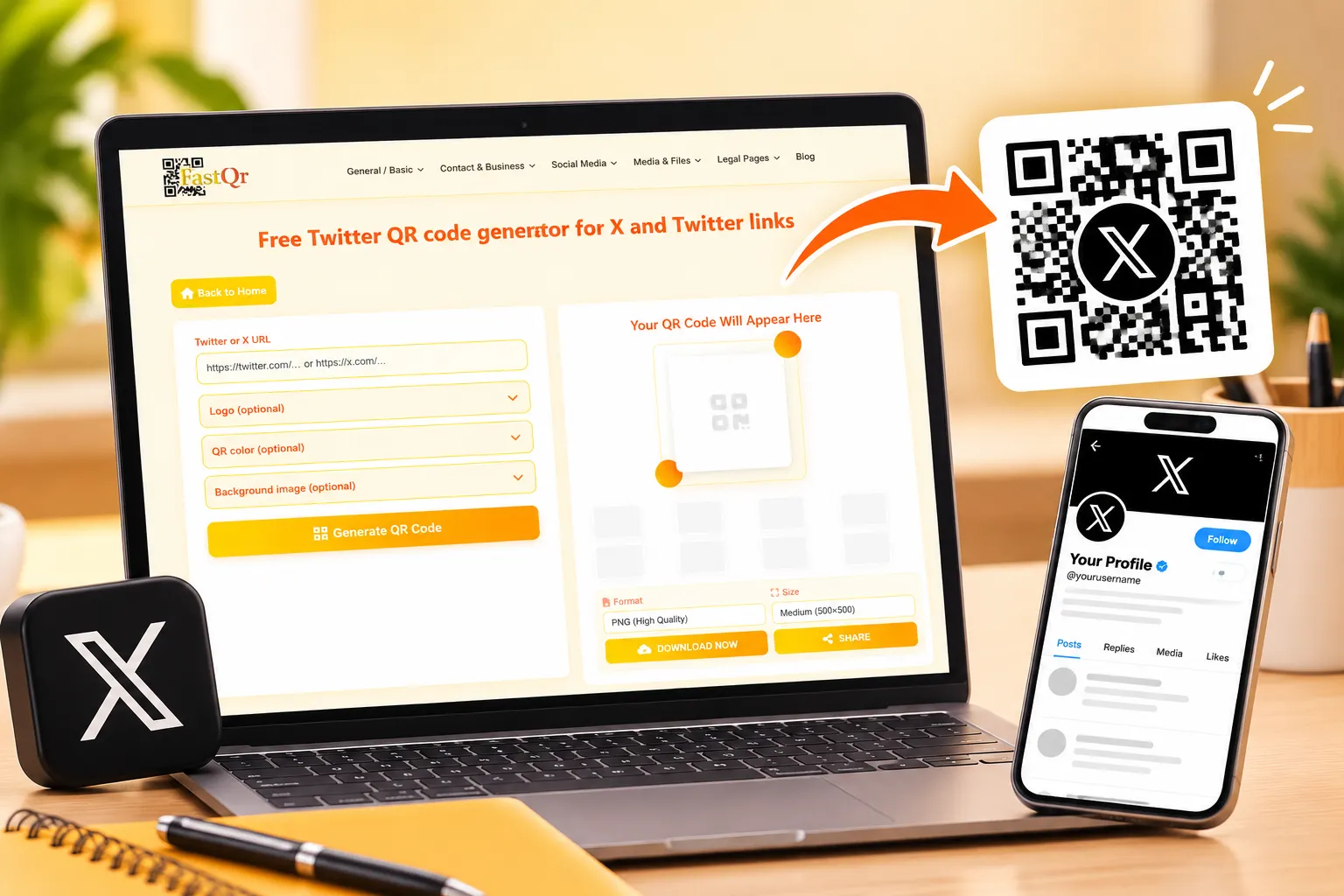
How to Create a Twitter QR Code Using FastQR.in
You do not need to design a complicated graphic or expect people to remember your username. Start with the correct profile URL and use a QR code generator to turn it into a scannable image.
Step 1: Copy your Twitter or X profile link
Open your X profile and copy its web address. A profile link commonly follows this format:
https://x.com/yourusername
Replace yourusername with your actual username. If you're using a previous Twitter profile URL, open it in your browser first to make sure it takes you to the correct X account before turning it into a QR code.
Step 2: Open a QR code generator
Visit FastQR.in and open its QR code generation tool. Choose the URL feature in the QR code generator to convert your website link into a scannable code.
A general QR code generator can create a code for your profile even if it does not have a dedicated Twitter or X template. Your profile link becomes the web address that opens when someone scans the QR code.
Step 3: Enter your profile URL
Enter your copied profile address into the generator’s designated link input box. Check the spelling carefully, including the username and domain. A small mistake can send people to the wrong page or prevent the link from working.
If your goal is to help people discover your account, use your profile URL rather than an unrelated website or post.
Step 4: Generate the QR code
Follow the instructions displayed by the tool to generate your QR code. If customization options are available, choose a clear design with sufficient contrast between the code and its background.
Avoid adding unnecessary decorative elements that make the code difficult to scan. If the tool offers a logo option, test the finished design carefully rather than assuming it will work at every size.
Step 5: Download and test the code
Save the finished QR code image to your device using the download feature provided by the tool. Save the original image so that you can reuse it in digital designs or print materials.
Before sharing it publicly, scan the code with a smartphone and confirm that it opens the intended profile. Test the downloaded image itself, not only the preview shown by the generator.
Ready to get started? Visit FastQR.in and use its QR code generator to create a QR code from your Twitter or X profile link.
How to Scan a Twitter QR Code
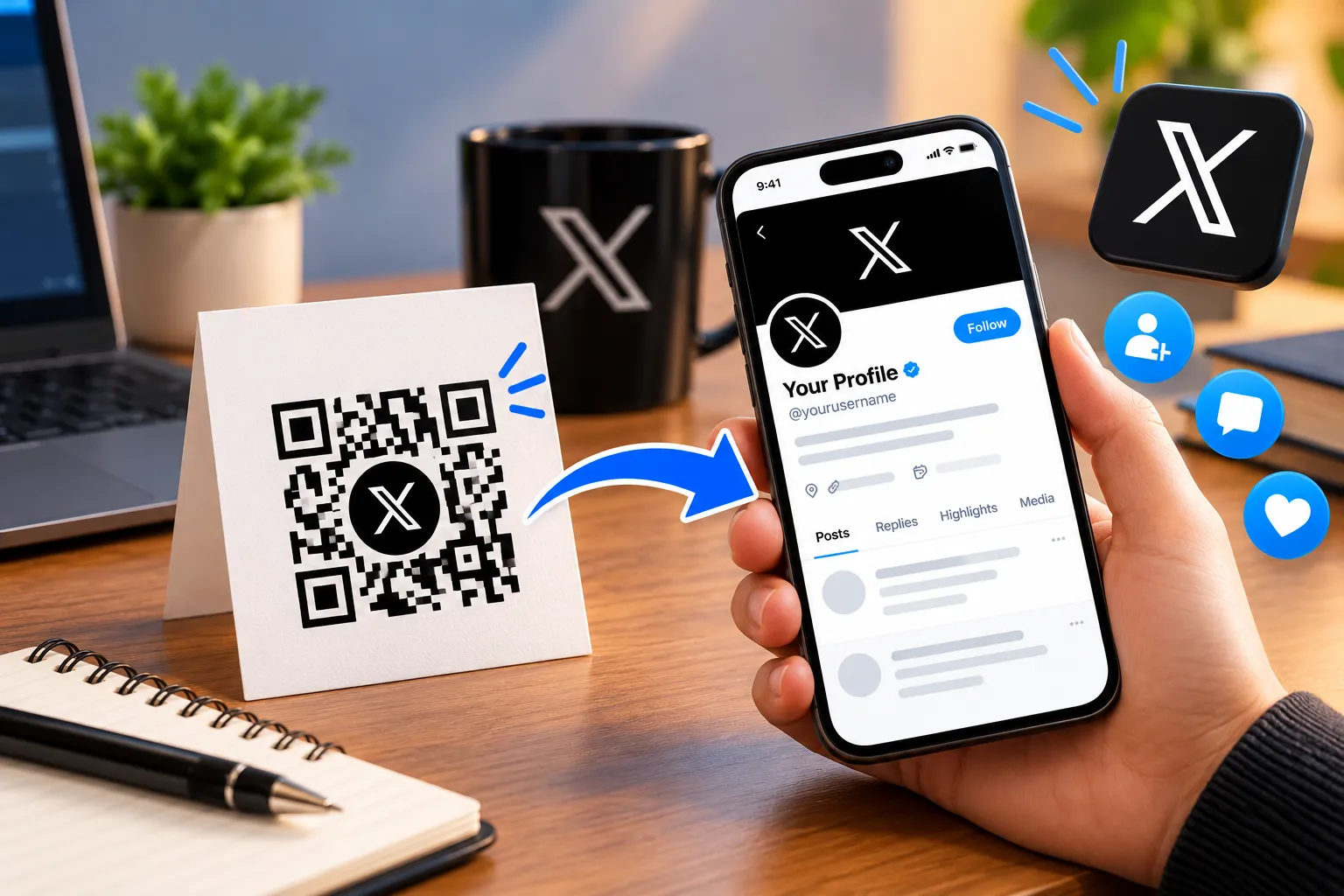
Knowing how to scan a Twitter QR code is just as important as knowing how to create one. In most cases, you can scan a standard profile QR code using the camera on your smartphone.
How to scan a Twitter QR code on an iPhone
Open the Camera app on your iPhone.
Position your phone's camera toward the QR code, keeping its full pattern inside the frame for easy detection.
Hold the phone steady until a link or notification appears.
Tap the notification to open the destination.
If prompted, choose whether to open the profile in a browser or the relevant app.
If the code does not scan, move slightly closer or farther away, improve the lighting, and make sure the entire code is visible.
How to scan a Twitter QR code on Android
Open your phone's Camera app.
Hold your phone steady over the code until a clickable link appears on the screen.
Tap the link to open the destination.
If your phone's camera cannot read the QR code, try Google Lens or another reliable QR code reader supported by your device.
The exact steps can vary by phone manufacturer and software version. You generally do not need a special Twitter QR code scanner online when your phone can already recognize standard QR codes.
How to scan a Twitter QR code from an image
Sometimes the QR code is saved in a screenshot, email, website, or photo rather than printed on paper.
If the QR code appears on a separate device, use your phone's camera to read the code directly from that screen. If the code is saved on the same phone you are using, open the image in a compatible photo app and look for a Lens or QR recognition option. Alternatively, open the QR code image on a second device and use your smartphone to scan it.Always check the destination URL before opening it, particularly when the QR code comes from an unfamiliar source.
Can You Create a Free Twitter QR Code?
Yes. You can create a Twitter profile QR code using a free QR code generator, provided the tool offers the necessary URL-to-QR functionality without a paid requirement.
A free QR code generator is often sufficient when you want a straightforward code that opens a public X profile. For example, an individual may put the code on a personal business card, while a local shop may add it to a printed flyer.
However, free QR code tools do not all offer the same features. Some create static QR codes, while others provide dynamic codes, analytics, customization, or other services that may require registration or payment.
Before choosing a tool, check:
Whether you can generate a QR code from a URL for free.
Whether downloading the code requires payment or an account.
Whether the code is static or dynamic.
Whether any usage limits or subscription terms apply.
Whether the downloaded file is suitable for your intended use.
A free QR code generator is a good starting point, but the best option depends on how you plan to use the code. If you only need to share a profile link, a basic URL QR code may be all you need.
Why Use a QR Code for Your Twitter Profile?
A Twitter profile QR code removes one small obstacle between discovering your brand and visiting your account. It is especially helpful when someone sees your business or content in a physical location but cannot conveniently search for your username.
Make networking easier
Freelancers, consultants, students, and professionals can add a QR code to their business cards or portfolios. People they meet can scan the code to reach their profile without manually entering the address.
Promote your business on printed materials
A restaurant, retail store, coaching centre, or local service business can place a QR code on flyers, menus, packaging, or counter displays. Customers can scan it to visit the business's X profile and explore its public updates.
For example, a small business in India could include its X profile QR code on a promotional leaflet distributed at a local event. The code should lead to a relevant, active profile that clearly represents the business.
Support social media campaigns
If you are promoting a product launch, public event, or online campaign, a QR code can connect offline promotion with your social media presence. Place it on event signage or promotional materials where people have enough time and space to scan it.
Use a clear call to action, such as “Scan to visit us on X.” This tells people what to expect before they scan.
Help people find the right account
Similar usernames and misspellings can make profile searches frustrating. A QR code that opens the correct profile URL reduces the need to search manually.
It does not guarantee new followers, but it makes accessing your account more convenient.
How to Use a Twitter QR Code for Business and Marketing
A QR code is most useful when it has a clear purpose and appears somewhere your audience is likely to notice it.
Business cards
Add your Twitter profile QR code to the back of your business card, leaving enough room around the code for reliable scanning. Include your name or brand and a short label so recipients know where the link leads.
Posters and flyers
Use a QR code on posters promoting an event, service, or campaign. Print one sample first and check that it scans properly before printing the code in bulk. A code that scans on a laptop screen may not scan as reliably when printed very small.
Product packaging
If your brand shares product updates, announcements, or customer information on X, you can place a QR code on suitable packaging. Make sure the profile is relevant to the product and that the printed code remains visible and undamaged.
Websites and email signatures
You can also share a profile QR code digitally. For example, it may be included in a downloadable brochure or a presentation. On a website viewed on a phone, however, a direct clickable profile link is often more convenient than asking visitors to scan a code displayed on that same device.
Events and presentations
Display the code during presentations, networking events, workshops, and exhibitions. Include a short instruction and leave it visible long enough for attendees to scan it.
For marketing purposes, you should also consider whether a profile QR code or a campaign-specific landing-page QR code is the better fit. A profile code is useful for general discovery; a landing page may be better when you want visitors to take a particular action.
Frequently Asked Questions About Twitter QR Codes
1. How can I make a QR code for my Twitter or X profile?
To create a QR code for your X account, copy your profile's web address and enter it into a URL QR code generator such as FastQR.in. Generate the code, save the image, and scan it to confirm that it opens the correct profile.
2. Is there a free Twitter QR code generator?
Yes, you can use a free QR code generator to convert your public X profile link into a scannable code, provided the tool includes free URL generation. Check the available download options and usage terms before creating your final design.
3. Will a Twitter QR code work after the platform changed its name to X?
A QR code containing a valid X profile URL can still direct people to that profile. If your existing code uses an older Twitter address, scan it and check where the link leads before sharing or printing it again.
4. Can I put my Twitter profile QR code on a business card?
Absolutely. Adding a QR code to a business card gives clients, colleagues, and potential customers another way to find your social profile. Include a short label such as “Find us on X” so people understand what they will access.
5. How do I scan a Twitter QR code without installing an app?
Try opening your smartphone's built-in Camera app and pointing it at the code. If your device supports QR recognition, a link should appear on the screen. Some phones may require a built-in scanning feature or a compatible application.
6. Can I use one QR code to promote my Twitter account at events?
Yes. You can display your profile QR code on event posters, presentation slides, exhibition stands, or printed handouts. Make sure the code is large enough to scan from the audience's viewing distance and test it before the event begins.
7. Does a Twitter QR code expire?
A static QR code generally continues to work as long as its encoded destination remains accessible. However, the profile link may stop working as expected if the destination changes or becomes unavailable. Dynamic QR codes can have different conditions depending on the provider's service and subscription.
8. Can I change my Twitter username without creating a new QR code?
It depends on the link encoded in your QR code. If your username changes and the existing address no longer reaches your profile, you may need to generate a replacement code. Test the old code before using it on new promotional materials.
9. What should I check before sharing my Twitter QR code?
Confirm that the code opens the intended profile, the image is clear, and the pattern has sufficient contrast against its background. If you plan to print it, scan a physical sample at its final size before distributing it.
10. Where can I create a QR code for my X profile?
You can start at FastQR.in and use its QR code generator to convert your profile URL into a QR code. Check the available features, save your generated image, and test it on a smartphone before sharing it.
Conclusion: Make Your X Profile Easier to Discover
Sharing your social media profile becomes more convenient when people can access it without manually searching for your username. A Twitter QR code offers a practical way to connect your online presence with business cards, promotional materials, product packaging, presentations, and networking events.
The key is to start with the correct profile URL and generate a code that remains clear and easy to scan. Before using it in a marketing campaign or printing it on promotional materials, check that it opens the intended account on a smartphone. A quick test can help you avoid broken links and unnecessary reprints.
Whether you're an individual creator, a freelancer, or a business looking to improve social media visibility, a QR code can make profile sharing more straightforward. It will not guarantee additional followers, but it gives interested people a convenient route to your account.
Ready to create your own Twitter QR code? Visit FastQR.in and use the available QR code generator to turn your X profile link into a scannable code. Save the image, test it, and start sharing your profile wherever it makes sense for your audience.