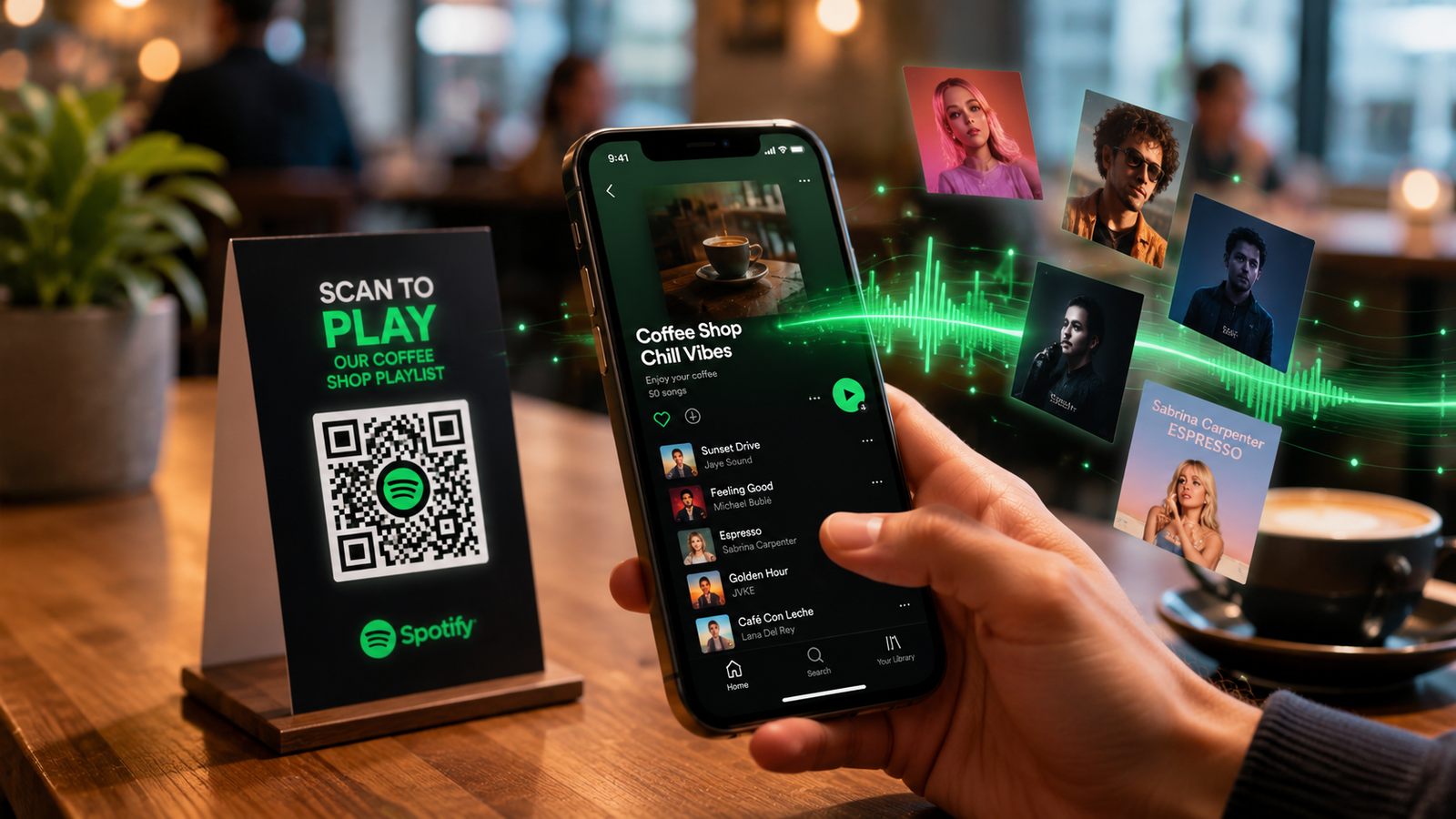
Music has become more social than ever. Whether you're sharing your favorite workout playlist with friends, promoting a new podcast episode, or helping customers discover curated music in your café, making content easy to access is essential. That's where Spotify QR codes come in.
Instead of sending long links or asking people to search manually, a Spotify QR code allows users to scan and instantly open a song, playlist, album, artist profile, or podcast. It's fast, convenient, and works perfectly for both personal and business use.
In this guide, you'll learn everything about Spotify QR codes, including how they work, their benefits, how to create them, creative use cases, and tips for maximizing engagement.
What Are Spotify QR Codes?
A Spotify QR code is a scannable code that directs users to specific Spotify content. When someone scans the code using their smartphone camera or QR scanner, they are immediately taken to the linked Spotify destination.
This destination can be:
- A playlist
- A song
- An album
- An artist profile
- A podcast
- A podcast episode
- A Spotify profile
The biggest advantage is simplicity. Instead of typing a URL or searching through Spotify, users can access content with a single scan.
Why Spotify QR Codes Are Becoming Popular
People expect instant access to content. Every extra step reduces engagement and increases the chance that users will leave before reaching their destination.
Spotify QR codes remove friction by creating a direct path between discovery and listening.
Key Benefits
1. Instant Access
Users can scan and listen immediately without typing URLs or searching manually.
2. Better User Experience
A quick scan feels effortless and convenient, encouraging more interactions.
3. Increased Playlist Engagement
Musicians, brands, and creators can drive more listens and followers by making content easier to access.
4. Perfect for Offline Marketing
Spotify QR codes bridge the gap between physical and digital marketing.
Examples include:
- Posters
- Flyers
- Business cards
- Product packaging
- Event banners
- Restaurant menus
5. Trackable Performance
When using advanced QR code solutions, businesses can track scans, locations, devices, and engagement metrics.
How Spotify QR Codes Work
The process is surprisingly simple.
Step 1: Create a Spotify Link
First, identify the Spotify content you want to share.
This could be:
- A song
- Playlist
- Podcast
- Album
- Artist profile
Spotify provides a unique URL for every piece of content.
Step 2: Convert the Link Into a QR Code
Paste the Spotify URL into a QR code generator.
The tool converts the URL into a scannable QR code image.
Step 3: Share the QR Code
The QR code can be used digitally or printed on physical materials.
Step 4: User Scans the Code
When scanned, the code instantly opens Spotify and directs users to the linked content.
The entire process typically takes just a few seconds.
How to Create a Spotify Playlist QR Code
Creating a Spotify playlist QR code is one of the most popular use cases.
Follow these steps:
Find Your Playlist URL
- Open Spotify.
- Navigate to your playlist.
- Click the Share option.
- Copy the playlist link.
Generate the QR Code
- Open a QR code generator.
- Paste the playlist URL.
- Customize the design if desired.
- Generate the QR code.
- Download the image.
Test Before Publishing
Always scan the code using multiple devices to ensure it works properly.
A quick test can prevent user frustration and missed opportunities.
Spotify QR Codes for Artists
Artists are constantly searching for ways to increase streams and build their audience.
Spotify QR codes make promotion easier and more effective.
Promote New Releases
Add QR codes to:
- Album covers
- Concert posters
- Merchandise
- Social media graphics
Fans can instantly access new music without searching.
Grow Followers
Link directly to your Spotify artist profile.
This encourages listeners to follow your account and stay updated on future releases.
Enhance Live Events
During concerts and performances, display QR codes on screens, banners, or merchandise tables.
Fans can scan and save music instantly.
Spotify QR Codes for Podcasters
Podcasts are growing rapidly, but discovery remains a challenge.
Spotify QR codes provide a simple solution.
Increase Podcast Visibility
Place QR codes on:
- Websites
- Blog posts
- Newsletters
- Social media posts
Users can jump directly to the podcast episode.
Promote Specific Episodes
Instead of linking to an entire podcast, generate a QR code for individual episodes.
This is especially useful for:
- Guest interviews
- Product launches
- Educational content
- Event recaps
Improve Listener Retention
Providing instant access reduces drop-off and increases the likelihood of gaining subscribers.
Business Uses for Spotify QR Codes
Businesses are discovering creative ways to use music-based QR codes.
Restaurants and Cafés
Many restaurants create custom playlists that reflect their brand atmosphere.
Adding a Spotify playlist QR code to menus allows customers to enjoy the same music experience at home.
Retail Stores
Retail brands often curate playlists matching their brand identity.
Customers can scan and listen even after leaving the store.
Hotels
Hotels can offer local music playlists to guests.
This creates a memorable and personalized experience.
Fitness Centers
Gyms can share workout playlists with members through QR codes placed around the facility.
Events and Conferences
Event organizers can create collaborative playlists and share them through QR codes on badges, banners, or event materials.
Best Practices for Spotify QR Codes
Simply creating a QR code is not enough. Following best practices improves performance and engagement.
Use a Clear Call-to-Action
Tell users exactly what they'll get.
Examples:
- Scan to listen
- Scan for today's playlist
- Scan to hear our latest release
- Scan to follow on Spotify
Choose the Right Size
Small QR codes can become difficult to scan.
For printed materials:
- Minimum size: 2 x 2 cm
- Recommended size: 3 x 3 cm or larger
Maintain High Contrast
Dark codes on light backgrounds generally scan best.
Avoid low-contrast combinations that may reduce readability.
Test Across Devices
Always test before launching.
Verify scanning on:
- Android devices
- iPhones
- Various QR scanner apps
Use Branding Carefully
Adding logos and colors can improve visual appeal, but excessive customization may affect scan performance.
Balance branding with functionality.
Creative Spotify QR Code Ideas
Looking for inspiration? Here are innovative ways to use Spotify QR codes.
Wedding Playlists
Share your wedding soundtrack with guests.
Graduation Memories
Create playlists featuring memorable songs from school years.
Product Packaging
Include playlists that match product themes or lifestyles.
Business Cards
Musicians and podcasters can add Spotify QR codes directly to business cards.
Social Media Graphics
Turn promotional images into interactive experiences.
Educational Projects
Teachers can share music, podcasts, or educational audio resources through QR codes.
Museum Exhibits
Visitors can scan and listen to curated audio content related to exhibits.
Common Mistakes to Avoid
Even a well-designed QR campaign can fail if common mistakes are overlooked.
Linking to the Wrong Content
Double-check URLs before generating codes.
Poor Placement
Avoid placing QR codes where scanning is difficult.
Low Resolution Images
Use high-quality downloads, especially for printing.
No Call-to-Action
Many users won't scan unless they understand the benefit.
How Spotify QR Codes Improve Music Marketing
Music marketing has evolved significantly in recent years.
Today's audiences expect instant access to content.
Spotify QR codes help marketers:
- Increase streams
- Drive playlist follows
- Promote new releases
- Connect offline audiences with digital content
- Improve campaign performance
By eliminating unnecessary steps, QR codes create a smoother user journey and increase engagement.
Whether you're an independent artist, record label, podcast creator, or business owner, Spotify QR codes offer an effective way to reach listeners.
The Future of Spotify QR Codes
QR code adoption continues to grow worldwide.
As consumers become more comfortable scanning codes, businesses and creators are integrating them into everyday experiences.
Future developments may include:
- Personalized listening experiences
- Smart campaign tracking
- Location-based music recommendations
- Enhanced audience analytics
- Interactive marketing experiences
The combination of streaming platforms and QR technology creates exciting opportunities for audience engagement.
FAQ Section
What is a Spotify QR code?
A Spotify QR code is a scannable code that directs users to Spotify content such as songs, playlists, albums, podcasts, or artist profiles.
Can I create a QR code for a Spotify playlist?
Yes. Simply copy your playlist URL from Spotify and generate a QR code using a QR code generator.
Are Spotify QR codes free?
Many QR code generators offer free static Spotify QR codes. Advanced features like analytics and editable links may require a paid plan.
Do Spotify QR codes work on all smartphones?
Most modern smartphones can scan QR codes using the built-in camera app or a QR code scanner application.
Conclusion
Spotify QR codes have transformed the way people share and discover music. Instead of relying on lengthy URLs or manual searches, users can instantly access playlists, songs, podcasts, albums, and artist profiles with a simple scan.
For artists, podcasters, marketers, and businesses, Spotify QR codes provide a practical way to increase engagement, improve user experience, and connect offline audiences with digital content. Whether you're promoting a new release, sharing a curated playlist, or enhancing customer experiences, QR codes make music sharing faster and more accessible.
As QR technology continues to gain popularity, implementing Spotify QR codes can help you stay ahead while delivering a easy listening experience to your audience.