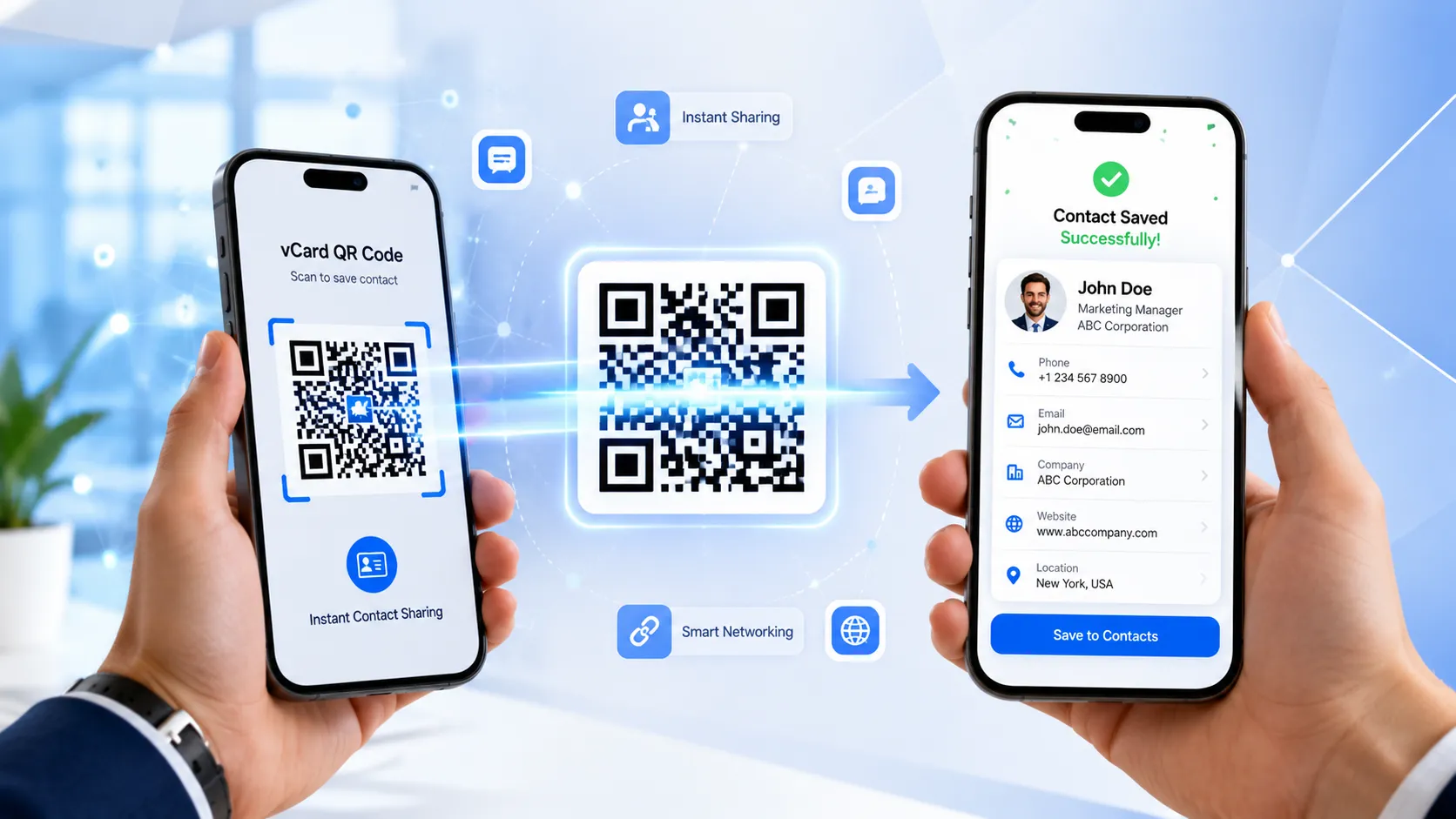
Imagine meeting a potential client at a networking event, attending a business conference, or introducing yourself to someone interested in your services. Instead of searching for a pen, exchanging paper business cards, or manually typing phone numbers into a smartphone, all it takes is one quick scan. Within seconds, your complete contact details are saved directly to the other person's phone.
This is exactly why vCard QR Codes have become one of the smartest networking tools for professionals, entrepreneurs, freelancers, sales teams, and businesses of every size.
The way people share contact information has changed dramatically over the last few years. Traditional business cards often end up misplaced, damaged, or forgotten in a wallet. Even when someone keeps the card, there's still the extra effort of manually entering names, phone numbers, email addresses, and websites into their contacts. That process can be time-consuming and prone to typing errors.
A vCard QR Code solves all these challenges by turning your contact information into a scannable QR code. When someone scans it using their smartphone camera, they can instantly save your details with just a few taps—no typing required.
Whether you're a business owner, consultant, real estate agent, doctor, digital marketer, freelancer, or corporate professional, using a vCard QR Code makes networking smoother, faster, and more professional.
If you're looking for an easy way to generate your own contact-sharing QR code, FastQR provides a simple solution that lets you create a customized vCard QR Code in just a few minutes. You can include all your essential contact details and share them digitally across business cards, brochures, email signatures, websites, presentations, product packaging, and even social media profiles.
In this guide, you'll learn everything you need to know about creating a vCard QR Code, how it works, why businesses are adopting it, and how you can start using one to improve your networking experience.
What Is a vCard QR Code?
A vCard QR Code is a special type of QR code that stores contact information in a standardized digital format called vCard (Virtual Contact File).
Instead of opening a website after scanning, the QR code displays contact information that users can save directly into their phone's contact list.
A typical vCard QR Code can include:
- Full Name
- Company Name
- Job Title
- Mobile Number
- Office Number
- Email Address
- Website URL
- Business Address
- Social Media Links
- Profile Photo (depending on the platform)
- Notes or Additional Information
Once scanned, the phone automatically recognizes the information and gives users the option to save it instantly.
This makes exchanging contact information significantly faster compared to traditional methods.
How Does a vCard QR Code Work?
The technology behind a vCard QR Code is surprisingly simple.
Here's what happens:
- You enter your contact information into a QR Code generator.
- The generator converts that information into the vCard format.
- A unique QR Code is created.
- You download the QR Code.
- Anyone scans it using their smartphone camera.
- Their phone displays your contact details.
- They tap Save Contact.
That's it.
The entire process usually takes less than ten seconds.
Unlike manually entering information, there is almost zero chance of spelling mistakes or incorrect phone numbers.
Why Are vCard QR Codes Becoming So Popular?
Digital networking is growing rapidly across industries. Businesses want faster communication, professionals want a better first impression, and customers expect convenience.
A vCard QR Code addresses all these expectations.
Some of the biggest reasons behind its growing popularity include:
Instant Contact Sharing
Nobody enjoys typing long email addresses or phone numbers manually.
A QR Code removes this friction by allowing users to save everything with a single scan.
Professional First Impression
Modern businesses are increasingly replacing outdated networking methods with digital solutions.
Sharing a QR Code shows that your business embraces technology and values convenience.
Whether you're attending trade shows, exhibitions, client meetings, or conferences, a QR Code helps create a polished and professional image.
Better Networking Experience
Networking events often involve exchanging contact details with multiple people in a short period.
Instead of handing out dozens of paper cards, you simply display your QR Code on:
- Phone screen
- Tablet
- Laptop
- Presentation slide
- Digital business card
- ID badge
People scan it instantly without interrupting the conversation.
Reduced Data Entry Errors
Even one incorrect digit in a phone number can make future communication impossible.
Manual data entry also increases the chances of:
- Misspelled names
- Wrong email addresses
- Missing website URLs
- Incorrect company names
A vCard QR Code eliminates these common mistakes because the information is transferred digitally.
Environmentally Friendly
Millions of paper business cards are printed every year.
Unfortunately, many of them are thrown away after events or meetings.
Digital contact sharing helps businesses reduce paper waste while supporting more sustainable business practices.
Although printed business cards still have value, adding a QR Code makes them much more effective and future-ready.
Benefits of Using a vCard QR Code
Whether you're an individual professional or a growing business, a vCard QR Code offers several practical advantages.
1. Faster Lead Collection
The easier it is for someone to save your contact details, the higher the chances they'll reach out later.
Removing unnecessary steps improves the overall networking experience and helps reduce missed opportunities.
2. Improved Customer Experience
Customers appreciate simple interactions.
Instead of asking them to:
- Search your website
- Type your email
- Enter your phone number
they can simply scan your QR Code and save everything instantly.
This convenience often leaves a positive impression.
3. Works Across Most Smartphones
One of the biggest advantages of QR technology is its compatibility.
Modern Android and iPhone devices have built-in QR Code scanning capabilities through the default camera app.
There's usually no need to install additional software.
4. Perfect for Both Online and Offline Marketing
Your vCard QR Code isn't limited to business cards.
You can place it almost anywhere, including:
- Email signatures
- Company websites
- Product packaging
- Flyers
- Posters
- Event banners
- Brochures
- Restaurant menus
- Office reception desks
- Presentation slides
- Exhibition booths
- Social media graphics
This gives people multiple opportunities to connect with you.
5. Saves Time
Think about how many times you've exchanged business cards during meetings.
Now imagine eliminating the need for manual contact entry every single time.
Over weeks and months, this small improvement can save hours of administrative work.
6. Supports Modern Business Communication
Today's customers expect businesses to provide digital experiences.
A vCard QR Code aligns with current communication trends by making contact sharing quick, simple, and mobile-friendly.
It's especially valuable for professionals who frequently interact with clients, prospects, and partners.
Who Should Use a vCard QR Code?
Almost anyone who shares contact information regularly can benefit from using a vCard QR Code.
Some of the most common users include:
Business Owners
Entrepreneurs can simplify customer communication by allowing prospects to save business information instantly.
Sales Professionals
Sales teams attend meetings, exhibitions, and networking events regularly.
A QR Code makes exchanging contact details effortless and improves follow-up opportunities.
Freelancers
Graphic designers, developers, photographers, writers, and consultants can include their vCard QR Code on invoices, proposals, portfolios, and business cards.
Real Estate Agents
Property agents often meet dozens of clients every week.
A QR Code helps buyers and sellers save contact details instantly without searching for business cards later.
Doctors and Healthcare Professionals
Doctors, clinics, dentists, and healthcare consultants can place QR Codes at reception desks, appointment cards, and brochures, making it easier for patients to save clinic contact details.
Students and Job Seekers
Students can include a vCard QR Code on resumes, portfolios, or LinkedIn profiles to make it easier for recruiters to connect.
Event Organizers
Conference speakers, exhibitors, and event organizers can display QR Codes on banners, booths, and presentation slides for instant networking.
Why Choose FastQR for Creating a vCard QR Code?
When creating a QR Code for professional networking, ease of use and reliability matter. FastQR is designed to make the process straightforward, even if you're generating a QR Code for the first time.
With FastQR, you can:
- Create a vCard QR Code in just a few simple steps.
- Add essential contact details such as your name, phone number, email address, website, and company information.
- Download a high-quality QR Code suitable for both digital and print use.
- Share your QR Code across business cards, websites, presentations, email signatures, brochures, and social media.
- Generate a professional-looking QR Code without needing any technical skills.
Whether you're an entrepreneur, freelancer, or part of a growing business, FastQR helps you share your contact information quickly and professionally.
Why Businesses Are Switching to Digital Contact Sharing
The way professionals connect has changed significantly over the last decade. Digital communication has become the standard, and businesses are adopting tools that make networking quicker and more convenient.
A vCard QR Code fits perfectly into this shift by offering a simple way to exchange contact information without relying solely on traditional business cards.
Here are a few reasons why more businesses are making the switch:
Faster Networking
Whether you're attending an exhibition, trade show, seminar, or client meeting, every interaction counts. A QR Code lets people save your contact details in seconds, helping you make the most of every opportunity.
Better Customer Experience
People appreciate convenience. Instead of typing your details manually, they can scan, save, and contact you whenever they need—all in just a few taps.
Reduced Printing Costs
Traditional business cards often need to be reprinted when contact details change. Digital contact sharing reduces the need for frequent reprints, helping businesses save money over time.
Supports Eco-Friendly Practices
Using digital tools instead of relying entirely on printed materials can help reduce paper waste and support more sustainable business practices.
Improved Brand Image
Businesses that adopt modern solutions often leave a stronger impression. A vCard QR Code signals that your brand values efficiency, innovation, and customer convenience.
Why Choose FastQR for Your vCard QR Code?
When it comes to creating a professional vCard QR Code, you want a platform that's fast, reliable, and easy to use. That's exactly what FastQR is built for.
With FastQR, you can:
- Generate a vCard QR Code in just a few simple steps.
- Add complete contact information, including phone number, email, website, and company details.
- Download high-quality QR Codes suitable for both digital and print use.
- Create QR Codes without any technical knowledge.
- Share your contact details across business cards, websites, brochures, email signatures, presentations, and social media.
Whether you're a freelancer, entrepreneur, startup founder, or part of a large organization, FastQR makes digital contact sharing simple and efficient.
Frequently Asked Questions (FAQs)
1. Why should I add a vCard QR Code to my business card?
Including a vCard QR Code on your business card makes networking much more efficient. Instead of manually entering your phone number or email address, people can simply scan the QR code and save your complete contact profile to their smartphone within seconds. It creates a modern, professional impression while reducing the chances of contact details being entered incorrectly.
2. Do I need to install an app to scan a vCard QR Code?
In most cases, no additional app is required. Modern Android and iPhone devices include built-in QR code scanning through their default camera applications. Simply point the camera at the QR code, and your phone will recognize it automatically and display the contact information.
3. What information can I include in a vCard QR Code?
A vCard QR Code can store a variety of professional contact details, including:
Full name
Company or organization
Job title
Mobile and office phone numbers
Email address
Website URL
Business address
Social media profiles (if supported)
Adding complete and accurate information makes it easier for customers, clients, and business partners to contact you.
4. Where can I use a vCard QR Code?
A vCard QR Code is suitable for both print and digital platforms. You can place it on business cards, brochures, product packaging, flyers, email signatures, websites, presentation slides, event banners, exhibition booths, resumes, and social media profiles. This flexibility allows people to connect with you wherever they encounter your brand.
5. Is a vCard QR Code safe to use?
Yes. A vCard QR Code only shares the information that you choose to include. As long as you avoid adding sensitive or confidential personal details, it is a secure and practical way to exchange contact information with clients, customers, and professional contacts.
8. Can I update my contact details after creating the QR Code?
This depends on the type of QR code you create. If you're using a dynamic vCard QR Code, you can update the contact information later without changing the QR code itself. With a static vCard QR Code, any changes to your contact details will require generating a new QR code.