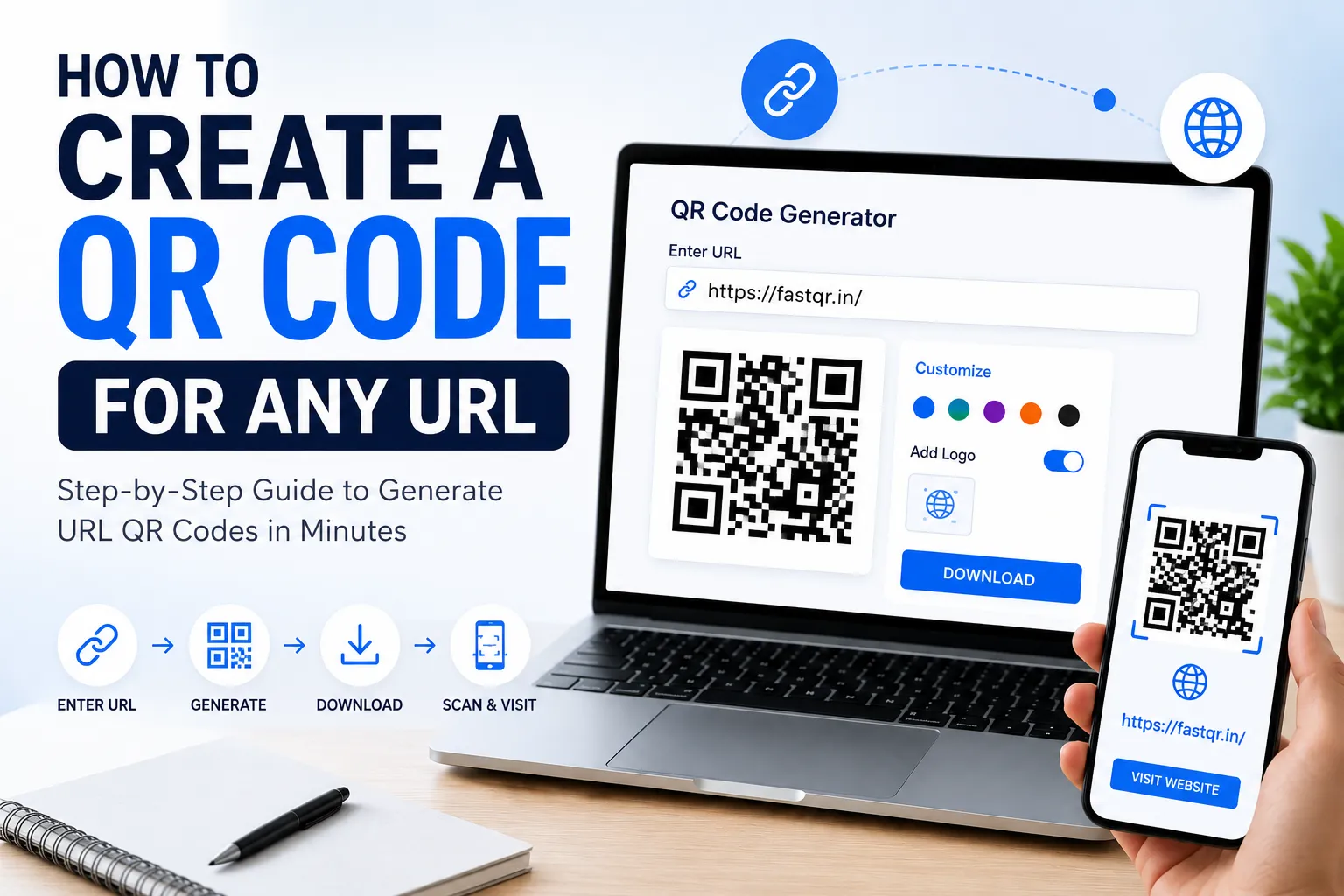
Today, QR codes have become one of the easiest ways to connect people with online content. Whether you're a business owner, marketer, teacher, restaurant owner, freelancer, or event organizer, a URL QR code lets users open your website instantly by simply scanning it with their smartphone.
Instead of typing long website addresses, customers can access your landing page, product page, portfolio, online menu, Google Form, or social media profile in just one scan.
If you're wondering how to create a QR code for any URL, you've come to the right place.
In this complete guide, you'll learn everything from creating your first QR code to best practices that improve scan rates and help your business grow.
What Is a URL QR Code?
A URL QR Code is a type of QR code that stores a website link. When someone scans it using their smartphone camera or QR scanner app, they're automatically redirected to the webpage.
You can create QR codes for:
- Business websites
- Product pages
- Landing pages
- Online stores
- Blogs
- Google Forms
- PDF files
- Event registration pages
- YouTube videos
- Social media profiles
- Portfolio websites
This makes sharing links much faster and more convenient.
Why Should You Create a QR Code for Your Website?
Businesses worldwide use QR codes because they bridge the gap between offline and online marketing.
Key Benefits
1. Instant Website Access
Customers no longer need to type long URLs manually.
2. Better User Experience
One scan opens the exact webpage instantly.
3. Increase Website Traffic
Adding QR codes to brochures, flyers, packaging, posters, and business cards can drive more visitors to your website.
4. Higher Customer Engagement
Interactive marketing campaigns perform better when users can access information immediately.
5. Cost-Effective Marketing
QR codes are inexpensive yet highly effective for promoting products and services.
How to Create a QR Code for Any URL
Creating a URL QR code only takes a few minutes.
Step 1: Copy Your Website URL
Open your website and copy the complete URL.
Example:
Always ensure the link works correctly before generating the QR code.
Step 2: Open FastQR
Visit FastQR's free QR Code Generator.
Choose the Website URL QR Code option.
Step 3: Paste the URL
Paste your copied website link into the URL field.
Double-check for spelling errors.
Step 4: Customize Your QR Code
Most modern QR code generators allow customization.
You can customize:
- QR code color
- Background color
- Frame
- Logo
- Pattern style
Step 5: Generate Your QR Code
Click the Generate QR Code button.
Your QR code will be created instantly.
Step 6: Download the QR Code
Download it in your preferred format:
- PNG
- JPG
- Step 7: Test Before Publishing
Always scan the QR code using multiple smartphones before printing or sharing.
Check:
- Website loads correctly
- Mobile-friendly page
- Fast loading speed
- Correct destination
Where Can You Use URL QR Codes?
One of the biggest advantages of QR codes is their versatility.
Here are some common use cases.
Business Cards
Add your website, portfolio, or LinkedIn profile.
Flyers
Drive readers to promotional landing pages.
Product Packaging
Share product information, user manuals, or warranty details.
Restaurant Menus
Display digital menus instantly.
Retail Stores
Link customers to online shopping pages.
Events
Share registration forms and schedules.
Education
Provide access to assignments, online courses, and learning resources.
Real Estate
Direct buyers to virtual property tours.
Healthcare
Share appointment booking pages.
Marketing Campaigns
Promote special offers and discount pages.
Best Practices for Creating URL QR Codes
Following these tips improves scan success.
Keep High Contrast
Use dark QR codes on light backgrounds.
Don't Make It Too Small
Minimum print size should be around 2 x 2 cm.
Leave White Space
Maintain the quiet zone around the QR code.
Use High Resolution
Avoid blurry or pixelated images.
Test on Different Devices
Android and iPhone cameras may perform differently.
Link to Mobile-Friendly Pages
Most users scan QR codes using smartphones.
Common Mistakes to Avoid
Many people create QR codes incorrectly.
Avoid these mistakes.
- Using broken URLs
- Printing low-resolution images
- Making QR codes too small
- Using poor color combinations
- Covering the QR code with logos
- Forgetting to test before printing
Can You Customize Your URL QR Code?
Absolutely.
Custom QR codes attract more attention than standard black-and-white versions.
Popular customization options include:
- Brand colors
- Company logo
- Rounded corners
- Unique patterns
- Custom frames
- Call-to-action text
Examples:
- Scan to Visit Our Website
- Scan to Shop Now
- Scan for Free Quote
- Scan to Learn More
A clear call-to-action encourages more people to scan.
How QR Codes Improve SEO and Marketing
While QR codes themselves are not a direct ranking factor, they support your digital marketing strategy by:
- Increasing website traffic
- Improving brand awareness
- Boosting campaign engagement
- Driving offline visitors online
- Supporting local marketing efforts
When users visit your website through QR codes and engage with your content, it can contribute positively to overall marketing performance.
Industries That Benefit Most from URL QR Codes
Almost every industry can use QR codes effectively.
Popular industries include:
- Restaurants
- Retail stores
- Real estate
- Education
- Healthcare
- Hotels
- Fitness centers
- Travel agencies
- Event management
- Manufacturing
- Small businesses
- E-commerce
- Digital marketing agencies
Frequently Asked Questions
Is it free to create a URL QR code?
Yes. Many QR code generators, including FastQR, allow you to create basic URL QR codes for free.
Can I create a QR code for any website?
Yes. As long as the website has a valid URL, you can generate a QR code for it.
Do QR codes expire?
Static QR codes generally do not expire. Dynamic QR codes may depend on the service provider or subscription plan.
Can I edit my QR code later?
Static QR codes cannot be edited after creation. Dynamic QR codes allow you to change the destination URL without replacing the printed QR code.
Are QR codes safe?
Yes, when created using a trusted QR code generator and linked to secure websites (HTTPS).
Final Thoughts
Creating a QR code for any URL is one of the easiest and most effective ways to connect offline audiences with your online content. Whether you want to promote your website, online store, event page, digital menu, portfolio, or blog, a well-designed QR code can significantly improve accessibility and customer engagement.
For the best results, use a reliable QR code generator, customize your QR code with your branding, test it on multiple devices, and ensure the linked webpage is mobile-friendly.
If you're looking for a fast, free, and easy solution, FastQR makes it simple to generate high-quality URL QR codes in just a few clicks. Start creating your QR code today and make it easier than ever for customers to reach your website with a single scan.