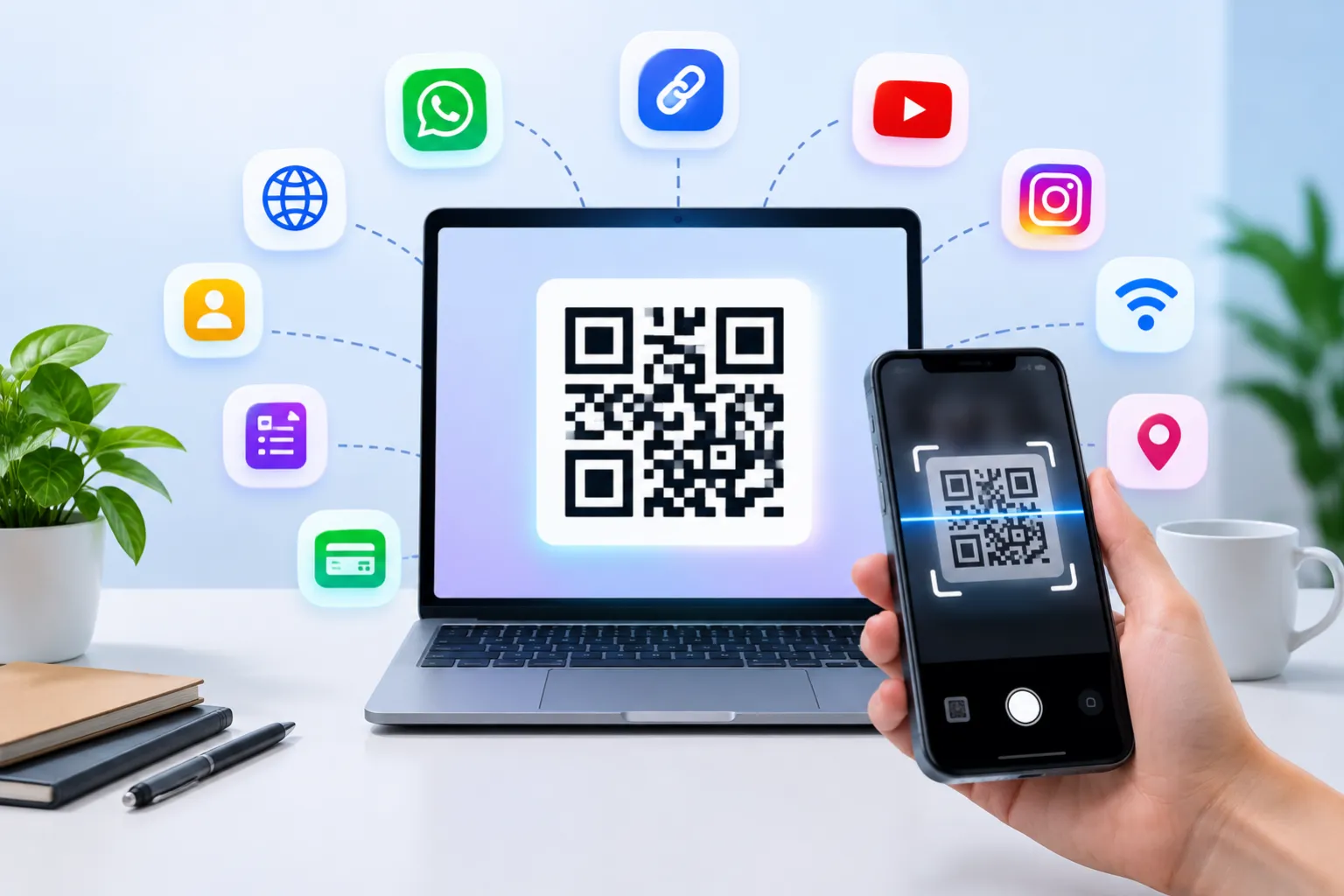
A decade ago, most people encountered QR codes only occasionally. Today, they appear almost everywhere—from restaurant tables and product packaging to payment counters and event registrations. Their ability to connect offline interactions with digital experiences has made them a practical tool for businesses, creators, and everyday smartphone users.
Whether you're trying to share a website, collect customer feedback, accept payments, or grow your social media audience, a QR code can simplify the process and improve accessibility.
Creating a QR code today is surprisingly simple. Whether you're a small business owner, student, freelancer, or marketer, you can turn a link, contact detail, or digital asset into a scannable QR code within minutes using a browser-based tool. There's no need to install software or learn any technical processes.
In this guide, you'll learn:
- What a QR code is
- How QR codes work
- In this guide, you'll discover practical ways to generate QR codes for different purposes—from directing visitors to your website and collecting responses through Google Forms to sharing WiFi access, accepting digital payments, and connecting audiences with your social media profiles.
- Dynamic vs static QR codes
- QR code marketing ideas for businesses
- Best practices for creating high-performing QR codes
Let's get started.
What Is a QR Code?
Think of a QR code as a digital shortcut. Instead of asking someone to type a website address, search for your business profile, or manually enter payment information, a QR code takes them directly to the intended destination with a single scan.
This convenience is one of the main reasons QR codes have become widely adopted across industries.
How Does a QR Code Work?
A QR code contains encoded data arranged in a square pattern of black and white modules.
When scanned:
- The smartphone camera detects the QR code.
- The device decodes the stored information.
- The linked content opens automatically.
For example:
- A website QR code opens a webpage.
- A WhatsApp QR code starts a chat.
- A payment QR code opens a payment app.
A WiFi QR code allows guests to join a wireless network with a quick scan, removing the usual connection steps and making internet access much more convenient.
This speed and convenience are why QR codes remain one of the most effective digital engagement tools in 2026.
Why QR Codes Are More Popular Than Ever in 2026
Several factors have contributed to the growth of QR code usage:
Contactless Experiences
Consumers prefer touch-free interactions for payments, menus, registrations, and information access.
Mobile-First Behavior
Most online activity now happens on smartphones, making QR codes a natural bridge between offline and online experiences.
Better Marketing Tracking
Businesses can use dynamic QR code generators and analytics tools to measure scans, locations, and user engagement.
Easy Content Sharing
Instead of typing long URLs, users simply scan a code and access information instantly.
QR code adoption has grown significantly over the past few years as smartphone usage and contactless interactions have become more common. Businesses now use QR codes for payments, menus, registrations, loyalty programs, customer reviews, and digital marketing campaigns.
This shift has transformed QR codes from a simple convenience tool into an important part of customer engagement strategies.
Why Trust This Guide?
This guide is based on practical QR code implementation methods commonly used by businesses, marketers, educational institutions, restaurants, and online creators. The recommendations focus on usability, user experience, and marketing effectiveness rather than simply generating a QR code.
How to Create a QR Code Online for Free
Modern QR code generators have simplified what was once a technical process. Today, creating a QR code usually takes less than a minute, making it accessible even for users with no technical background.
Step 1: Choose a QR Code Generator
Select a trusted QR code creator online such as FastQR.
A reliable QR code maker should allow you to:
- Generate QR codes instantly
- Customize designs
- Download high-quality files
- Create QR codes for various purposes
Step 2: Select the QR Code Type
Start by deciding what action you want users to take after scanning the code. The destination could be a webpage, contact information, payment page, social media profile, downloadable file, or any other digital resource you want to share quickly.
Popular options include:
- Website URL
- WiFi
- Google Forms
- Social Media
- Contact Information
- Payment Links
Step 3: Enter Your Information
Paste the content you want users to access.
Examples:
- Website URL
- WhatsApp number
- Instagram profile
- Payment URL
- YouTube channel
Step 4: Customize the QR Code
You can personalize the design by adding:
- Brand colors
- Company logo
- Frames
- Custom shapes
Using a branded QR code generator helps improve recognition and trust.
Step 5: Generate the QR Code
Click the generate button.
The system instantly creates your QR code.
Step 6: Download and Test
Download your QR code and scan it using different devices to ensure it works correctly.
Static vs Dynamic QR Codes
| Feature | Static QR Code | Dynamic QR Code |
|---|---|---|
| Editable After Creation | No | Yes |
| Scan Tracking | No | Yes |
| Analytics | No | Yes |
| URL Updates | No | Yes |
| Best For | Personal Use | Marketing |
| Cost | Usually Free | Often Premium |
Real-World QR Code Examples
Creating a QR Code That Directs Users to Your Website
Website QR codes are widely used because they provide a quick way for people to reach an online destination without manually entering a web address.
Steps
- Copy your website URL.
- Open FastQR.
- Select Website QR Code.
- Paste the URL.
- Generate and download.
This method is useful for:
- Flyers
- Posters
- Product packaging
- Business cards
- Store displays
A website QR code removes the extra step of manually entering a web address. With a quick scan, users are taken directly to the intended page, creating a smoother browsing experience.
Converting Any URL into a QR Code
If you have a specific webpage, blog post, or landing page, you can create a QR code for a link.
Examples include:
- Product pages
- Booking forms
- Event registrations
- PDF downloads
- Promotions
Copy the web address you want to share, enter it into the QR code tool, and generate a scannable code that can be used across both digital and printed materials.
How to Create a QR Code for Google Forms
Google Forms are widely used for:
- Surveys
- Feedback collection
- Registrations
- Lead generation
Steps
- Open your Google Form.
- Copy the share link.
- Paste it into the QR code generator.
- Generate the QR code.
- Print or share digitally.
This makes it easy for users to access forms instantly.
For example, a local bakery can place a WhatsApp QR code on its packaging so customers can place repeat orders without searching for a phone number. After scanning, customers are taken directly to a WhatsApp chat, reducing friction and increasing inquiry rates.
Many small businesses use WhatsApp QR codes for customer support, appointment bookings, and product inquiries because they simplify communication and improve response times.
How to Create a QR Code for WiFi
Sharing WiFi access through a QR code helps avoid typing errors and saves time, especially in places where multiple visitors need internet access.
Steps
- Enter your WiFi network name.
- Add the password.
- Select security type.
- Generate the QR code.
Users can scan and connect instantly.
Perfect for:
- Homes
- Cafes
- Hotels
- Offices
- Restaurants
How to Create a QR Code for Instagram
Instagram QR codes help businesses grow followers.
Steps
- Copy your Instagram profile URL.
- Paste it into the QR code generator.
- Generate the code.
- Add it to marketing materials.
Popular placements include:
- Packaging
- Business cards
- Brochures
- Storefronts
How to Create a QR Code for Facebook Page
Facebook page QR codes help users:
- Follow your page
- Read reviews
- View updates
- Contact your business
Generate the QR code using your page URL and share it across online and offline channels.
How to Create a QR Code for YouTube Channel
A YouTube QR code helps drive subscribers and video views.
Use it on:
- Event banners
- Product packaging
- Presentation slides
- Printed materials
Scanning instantly opens your channel.
Static vs Dynamic QR Codes
Understanding the difference is important.
Static QR Codes
Features:
- Permanent content
- Cannot be edited
- Usually free
- Best for simple use cases
Dynamic QR Codes
Features:
- Editable destination
- Scan tracking
- Analytics reporting
- Better for marketing campaigns
Businesses often prefer dynamic QR code generators because campaigns evolve over time.
QR Code Marketing Ideas for Businesses
QR codes are powerful marketing tools.
Digital Business Cards
Share contact details instantly.
Restaurant Menus
Offer contactless menu access.
Customer Reviews
Direct customers to review platforms.
Event Registration
Simplify sign-ups and attendance tracking.
Product Packaging
Provide tutorials, warranty details, or promotions.
Lead Generation
Capture leads through landing pages and forms.
Social Media Growth
Connect users to Instagram, Facebook, LinkedIn, and YouTube profiles.
QR Code Trends in 2026
The QR code landscape continues to evolve.
AI QR Code Generator
AI-powered tools create visually attractive QR codes that align with brand aesthetics.
QR Codes with Logos
Businesses increasingly add logos for better brand recognition.
Smart QR Codes
Advanced QR codes deliver personalized user experiences.
QR Code Analytics
Companies track engagement metrics for better marketing decisions.
Editable QR Codes
Dynamic QR codes allow updates without replacing printed materials.
Best Practices for Creating Effective QR Codes
Follow these recommendations:
Keep URLs Clean
Use short, clear URLs whenever possible.
Test Before Publishing
Always scan the QR code using multiple devices.
Add a Call-to-Action
Tell users what they will get.
Examples:
- Scan to Visit Website
- Scan to Order Online
- Scan to Join WhatsApp
Use High Resolution
Low-quality QR codes can cause scanning issues.
Include Branding
A logo can improve recognition and trust.
Ensure Adequate Contrast
Dark QR codes on light backgrounds typically perform best.
Common QR Code Mistakes to Avoid
Avoid these errors:
- Using broken links
- Printing too small
- Poor color contrast
- Not testing before launch
- Overcomplicating designs
- Ignoring mobile experience
A simple and functional QR code often performs better than an overly decorative one.
Why Use FastQR?
FastQR makes it easy to create QR codes for websites, social media, business cards, payments, and marketing campaigns.
Benefits include:
- Easy QR code generation
- Fast processing
- User-friendly interface
- Multiple QR code types
- Customization options
- Business-friendly solutions
Whether you're an individual creator or a growing company, FastQR helps you generate QR codes quickly and efficiently.
Conclusion
QR codes continue to transform how people access information, make payments, connect with businesses, and engage with digital content.
Whether you need a QR code for a website, WhatsApp, WiFi, payment link, Google Form, Instagram profile, or marketing campaign, the process is simple and accessible.
By following the steps in this guide and using a reliable QR code generator, you can create professional QR codes that improve user experience and support your business goals.
Ready to get started?
Create your QR code online today with FastQR and connect your audience to your content in seconds.
FAQ Section
What is a QR code?
A QR code is a scannable barcode that stores digital information such as links, contact details, payment information, or social media profiles.
Are QR codes free?
Yes. Many platforms allow users to create QR codes for free, especially static QR codes.
Can I create a QR code for a website?
Yes. Simply paste your website URL into a QR code generator and generate the code.
How do I create a QR code for WhatsApp?
Enter your WhatsApp number or WhatsApp link into the QR code generator and create the code.
Static vs Dynamic QR Codes: Understanding the Key Differences
Static QR codes cannot be edited after creation. Dynamic QR codes allow editing and often include analytics.
How do I create a QR code for WiFi?
Enter your WiFi name, password, and security type into a QR code generator to create a WiFi QR code.
Can QR codes contain logos?
Yes. Many custom QR code generators allow you to add logos and branding elements.
How do I scan a QR code?
Open your smartphone camera and point it at the QR code. Most modern devices automatically recognize and open the content.