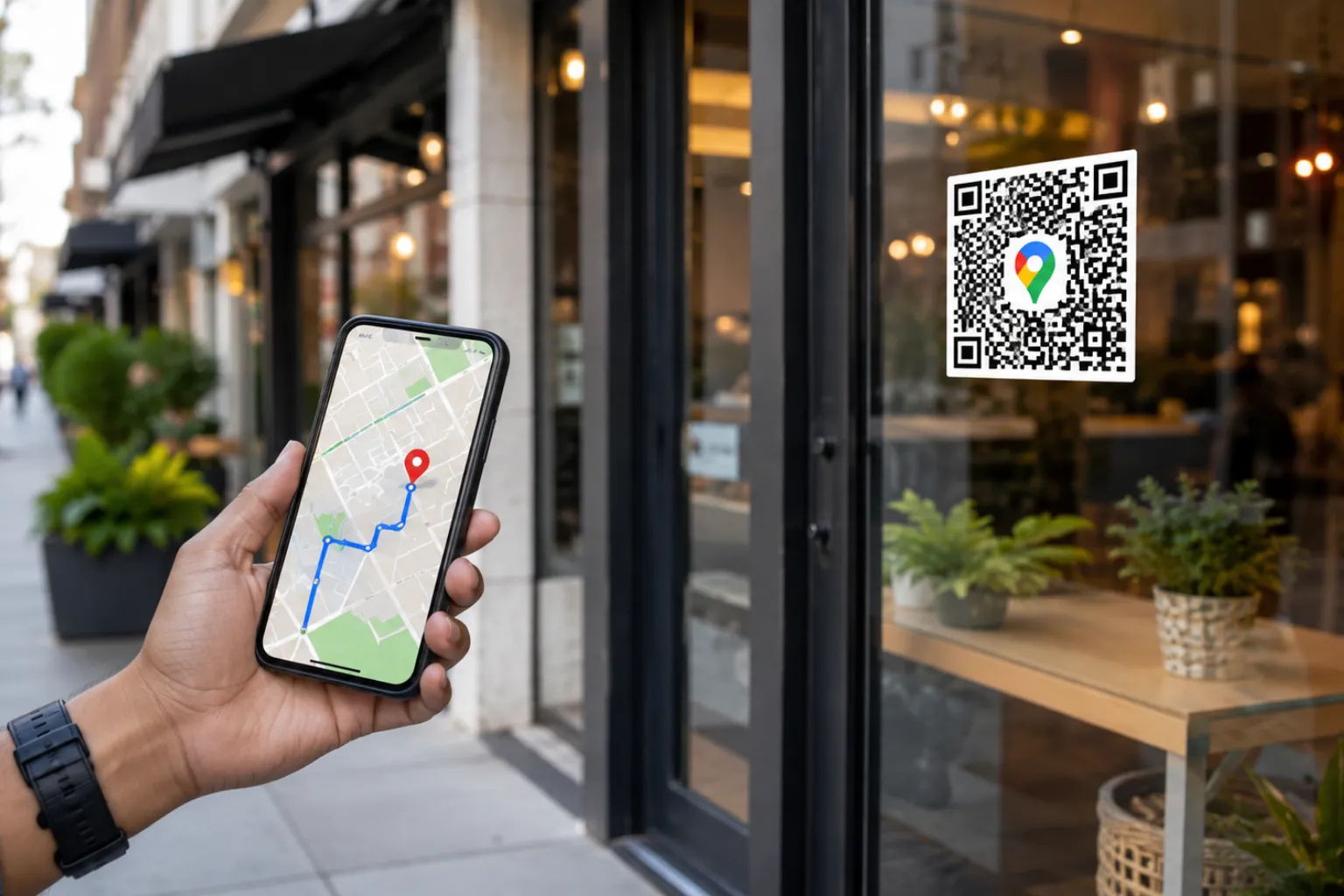
Finding a business should be simple. Yet many customers still struggle with incorrect addresses, typing errors, confusing directions, or outdated location information. Every extra step between discovering your business and reaching your location creates friction—and friction often means lost customers.
This is where a Google Maps Location QR Code becomes a powerful business tool.
Instead of asking customers to manually enter your address into Google Maps, you can provide a QR code that instantly opens your business location on Google Maps with a single scan. Whether you're running a retail store, restaurant, clinic, office, showroom, hotel, salon, or service business, a location QR code can significantly improve the customer experience while increasing foot traffic.
In today's mobile-first world, customers expect convenience. A Google Maps QR code delivers exactly that.
In this guide, you'll learn what a Google Maps Location QR Code is, how it works, why businesses should use it, and how to create one using FastQR.
What Is a Google Maps Location QR Code?
A Google Maps Location QR Code is a scannable QR code that directs users to a specific location on Google Maps.
When someone scans the QR code using their smartphone camera, Google Maps opens automatically and displays the destination. Users can then start navigation immediately without manually searching for the address.
The QR code can contain:
- Business location coordinates
- Google Maps link
- Store address
- Branch location
- Event venue location
- Office address
The primary goal is simple: make it easier for customers to find your business.
Why Businesses Need a Google Maps QR Code
Customer behavior has changed dramatically over the last few years. People increasingly rely on smartphones for navigation and local discovery.
When customers must manually type an address, several problems can occur:
- Typing mistakes
- Wrong location selection
- Confusing street names
- Missed appointments
- Frustration during navigation
- Lost business opportunities
A Google Maps QR Code removes these obstacles.
Benefits at a Glance
- One-scan navigation
- Better customer experience
- Increased foot traffic
- Reduced missed appointments
- Improved offline-to-online engagement
- Easy integration into marketing materials
- Works on Android and iPhone devices
How a Google Maps Location QR Code Works
The process is surprisingly simple.
Step 1: Business Creates the QR Code
The business generates a QR code linked to its Google Maps location.
Step 2: QR Code Is Displayed
The QR code can be printed or shared digitally on:
- Flyers
- Business cards
- Posters
- Brochures
- Packaging
- Menus
- Websites
- Social media posts
- Email signatures
Step 3: Customer Scans the Code
Using a phone camera, the customer scans the QR code.
Step 4: Google Maps Opens Automatically
The location opens directly in Google Maps.
Step 5: Navigation Begins
Customers tap "Directions" and start navigating immediately.
The entire process takes only a few seconds.
Top Benefits of Using a Google Maps QR Code for Your Business
1. Increase Foot Traffic
Many local businesses lose potential customers simply because the location isn't easy to access. By providing instant navigation, you remove a major barrier.
Businesses that depend on physical visits—such as restaurants, retail stores, clinics, gyms, and salons—can particularly benefit from location QR codes.
2. Improve Customer Experience
Modern customers value convenience.
A location QR code saves customers from:
- Searching online
- Copying addresses
- Typing directions
- Verifying locations
Instead, they scan and go.
The result is a smoother customer journey from discovery to arrival.
3. Reduce Missed Appointments
Healthcare providers, consultants, service centers, and professional offices often face missed appointments due to location confusion.
Adding a Google Maps QR code to:
- Appointment confirmations
- Reminder emails
- WhatsApp messages
- Booking pages
can dramatically reduce navigation-related delays.
4. Boost Offline Marketing Performance
Traditional marketing materials often struggle to connect offline engagement with online action.
A Google Maps QR code bridges this gap.
You can add it to:
- Billboards
- Newspaper advertisements
- Event banners
- Product packaging
- Store signage
- Vehicle branding
Customers can instantly take action after seeing your advertisement.
5. Perfect for Local SEO Strategies
A Google Maps QR code supports local marketing efforts by encouraging more visits and engagement with your Google Business Profile.
When customers easily reach your location, it strengthens your overall local presence.
6. Eliminate Address Entry Errors
Long addresses are prone to mistakes.
Consider an address like:
"2nd Floor, Sunrise Business Center, Near City Mall, MG Road, Ahmedabad, Gujarat."
Typing this correctly isn't always easy.
A QR code eliminates human error by opening the exact location automatically.
7. Support Multiple Business Locations
Businesses with multiple branches can create separate QR codes for each location.
Examples include:
- Franchise businesses
- Restaurant chains
- Retail outlets
- Clinics
- Educational institutes
- Service centers
Customers can access the nearest branch instantly.
Industries That Benefit from Google Maps Location QR Codes
Restaurants and Cafes
Customers can quickly locate your restaurant without searching manually.
Perfect for:
- Table tents
- Menus
- Social media ads
- Food packaging
- Retail Stores
Retail businesses can direct shoppers to physical outlets easily.
Useful for:
- Flyers
- Newspaper inserts
- Product catalogs
- Healthcare Clinics
Patients can navigate directly to your clinic, reducing late arrivals and missed appointments.
Hotels and Resorts
Travelers often need precise directions.
A location QR code helps guests reach the property without confusion.
Real Estate Businesses
Property developers can add QR codes to:
- Hoardings
- Property brochures
- Site advertisements
Potential buyers can visit the project location instantly.
Educational Institutions
Schools, colleges, and coaching centers can help students and parents locate campuses effortlessly.
Event Organizers
Location QR codes simplify navigation for:
- Weddings
- Conferences
- Exhibitions
- Trade shows
- Corporate events
Best Places to Use a Google Maps QR Code
Many businesses underutilize QR codes.
Here are strategic placement opportunities.
Business Cards
A business card becomes more useful when customers can instantly locate your office.
Website Contact Page
Add a QR code alongside your address and map.
Email Signatures
Make it easy for clients to find your office.
Posters and Flyers
Turn offline promotions into actionable experiences.
Product Packaging
Guide customers to your store or service center.
Storefront Windows
Allow passersby to save your location instantly.
Event Invitations
Provide easy venue navigation.
Social Media Posts
Share a location QR code during promotions and events.
Google Maps QR Code vs Traditional Address Sharing
Feature Traditional Address Google Maps QR Code Requires Typing Yes No Risk of Errors High Very Low Instant Navigation No Yes Mobile Friendly Limited Excellent User Convenience Medium High Faster Customer Journey No Yes The difference is clear: QR codes create a better user experience.
How to Generate a Google Maps QR Code with FastQR
Creating a location QR code with FastQR takes only a few minutes and doesn't require any technical knowledge. Whether you're promoting a retail store, restaurant, office, clinic, or event venue, you can create a scannable code that sends visitors directly to your location on Google Maps.
Step 1: Find Your Business Location on Google Maps
Open Google Maps and search for your business listing or the exact destination you want customers to visit.
Step 2: Copy the Location Link
Click the "Share" option in Google Maps and copy the location URL. This link contains the destination information that will be embedded inside the QR code.
Step 3: Open the FastQR Location QR Code Generator
Go to the FastQR Location QR Code Generator page and paste the Google Maps link into the provided field.
Step 4: Generate Your QR Code
Once the link is added, FastQR instantly creates a QR code connected to your business location. Before downloading, scan it once to verify that it opens the correct destination.
Step 5: Add the QR Code to Customer Touchpoints
After generating the code, include it wherever customers interact with your brand. Many businesses place location QR codes on storefront posters, brochures, business cards, invoices, event banners, packaging, appointment reminders, and promotional materials. This allows customers to access turn-by-turn directions without manually entering an address.
Best Practices for Using Google Maps QR Codes
To maximize results, follow these recommendations.
Use High-Quality Printing
Blurry QR codes reduce scan success rates.
Always use high-resolution downloads.
Maintain Adequate Size
A QR code should be large enough for easy scanning.
Avoid making it too small on printed materials.
Test Before Publishing
Always scan the QR code using multiple devices before distribution.
Add a Call-to-Action
Tell users what the QR code does.
Examples:
- Scan to Get Directions
- Find Our Store
- Navigate to Our Office
- Visit Us Today
Use Contrasting Colors
Ensure strong contrast between the QR code and background.
Place Strategically
Position the QR code where customers naturally look.
Common Mistakes Businesses Should Avoid
Using Incorrect Location Links
Always verify the destination.
Printing Tiny QR Codes
Small QR codes often fail to scan properly.
Forgetting Mobile Testing
Test on Android and iPhone devices.
Hiding the QR Code
Make it visible and easy to access.
Ignoring User Instructions
Adding a clear CTA improves scan rates significantly.
Future of QR Codes in Local Business Marketing
QR codes have become a standard part of modern marketing.
As smartphone adoption continues to grow, businesses increasingly rely on QR technology to connect offline audiences with digital experiences.
Location QR codes are particularly valuable because they solve a real-world problem: helping customers reach a destination quickly.
Future trends indicate greater adoption across:
- Retail
- Hospitality
- Healthcare
- Education
- Events
- Real estate
- Professional services
Businesses that embrace QR-powered convenience today can create better customer experiences and stay ahead of competitors.
Why FastQR Is the Ideal Solution
FastQR makes QR code creation simple, fast, and accessible.
Whether you're a small business owner, marketer, restaurant operator, or enterprise organization, FastQR helps you generate professional QR codes within minutes.
With a Google Maps Location QR Code, you can:
- Help customers find you faster
- Improve local marketing campaigns
- Increase store visits
- Enhance customer convenience
- Support business growth
The easier it is for customers to reach you, the more opportunities you create for your business.
Conclusion
A Google Maps Location QR Code is one of the simplest yet most effective tools for improving customer experience and driving more foot traffic to your business.
Instead of relying on customers to search, type, and verify your address, you can provide a one-scan solution that instantly opens your location in Google Maps.
Whether you're promoting a store, office, restaurant, clinic, hotel, event venue, or service center, location QR codes eliminate friction and make navigation effortless.
By using FastQR's Google Maps Location QR Code Generator, businesses can create professional, easy-to-use QR codes that help customers arrive at the right place every time.
FAQs
Q1. What is a Google Maps Location QR Code?
A Google Maps Location QR Code is a scannable QR code that opens a specific location directly in Google Maps.Q2. How can a business use a Google Maps QR Code?
Businesses can place it on business cards, flyers, websites, brochures, signage, packaging, and advertisements to help customers navigate easily.Q3. Are Google Maps QR Codes free to create?
Yes, businesses can create location QR codes using QR code generators such as FastQR.Q4. Do Google Maps QR Codes work on iPhones and Android phones?
Yes, modern smartphones support QR code scanning through the built-in camera application.Q5. Can I create separate QR codes for multiple locations?
Yes, businesses with multiple branches can generate a unique QR code for each location.