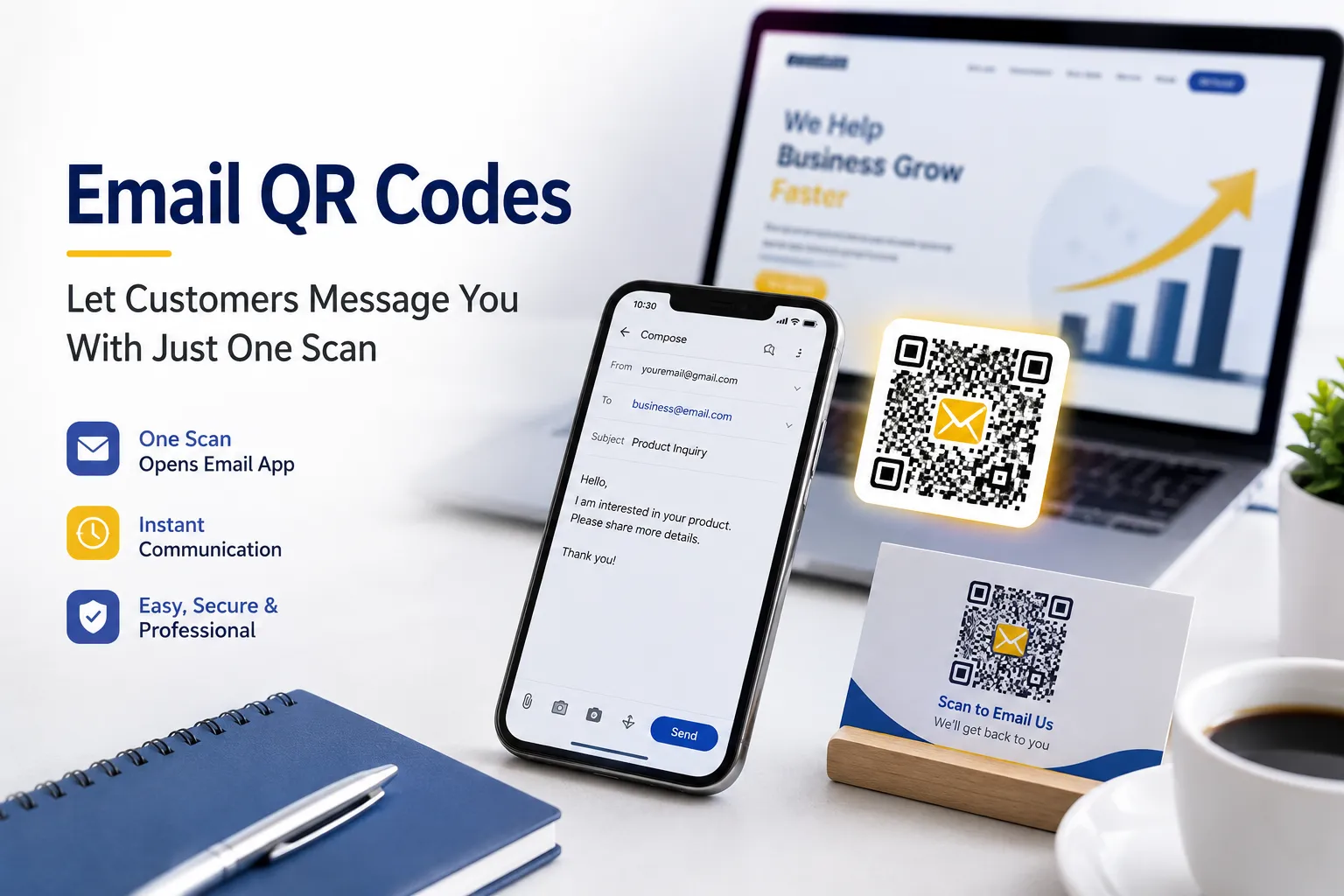
Every business wants to make communication easier for customers. Whether someone has a question about a product, needs technical support, wants to request a quote, or simply wishes to get in touch, the faster they can reach you, the better the experience becomes.
Unfortunately, entering an email address manually isn't always convenient. Even a small typing mistake can prevent the message from reaching the right inbox. On mobile devices, copying and pasting email addresses can also interrupt the user's experience.
This is where an Email QR Code becomes incredibly useful.
Instead of asking customers to type your email address, you can display a QR code that instantly opens their default email application with your address already filled in. Depending on how you create it, you can even pre-fill the subject line and message body, making it much easier for customers to send inquiries in just a few seconds.
At FastQR, creating an Email QR Code takes less than a minute. Simply enter the recipient's email address, optionally add a subject and message, customize the design if you like, and generate your QR code. When someone scans it, their default email application—such as Gmail, Apple Mail, or Outlook—opens with your information already prepared.
What Is an Email QR Code?
An Email QR Code is a QR code that contains an email link using the standard mailto: format.
When someone scans the code using their smartphone camera or any QR scanner, the device opens its default email application. The email recipient is already entered, and if you've included them while generating the QR code, the subject and message fields are also pre-filled.
The user only needs to review the email and tap Send.
How Does an Email QR Code Work?
An Email QR Code stores a special email link.
When scanned, your phone recognizes that the QR code contains an email action rather than a website URL.
Instead of opening a browser, the operating system launches the default email application installed on the device.
If Gmail is the user's default mail app, Gmail opens automatically. If Apple Mail or Outlook is configured as the default email client, that application opens instead.
The user can then edit the email if necessary before sending it.
This simple workflow removes unnecessary steps and encourages more people to contact your business.
How FastQR's Email QR Code Generator Works
Creating an Email QR Code with FastQR is straightforward.
The generator includes everything needed to create a professional-looking QR code while keeping the process simple.
Step 1: Enter the Recipient Email
Start by entering the email address where customer messages should be sent.
For example:
sales@yourcompany.com
or
support@yourcompany.com
This is the only required field.
Step 2: Add an Optional Subject
You can pre-fill the subject line to help organize incoming emails.
Examples include:
- Product Inquiry
- Customer Support
- Request a Quote
- Partnership Opportunity
- Booking Request
- Feedback
Customers can still change the subject before sending if they wish.
Step 3: Add an Optional Message
FastQR also allows you to pre-fill the email body.
This saves even more time for customers because they only need to add a few details before sending.
For example:
Hello, I would like to know more about your services. Please contact me.
Or:
I would like to request a quotation for your products.
Pre-filled messages also help businesses collect information in a consistent format.
Step 4: Customize the QR Code
Your Email QR Code doesn't have to look plain.
FastQR lets you personalize the appearance with options such as:
- Custom logo
- QR code color
- Background image
These design options help the QR code match your brand while remaining easy to scan.
Step 5: Generate Your Email QR Code
Once everything is ready, click:
Generate Your Email QR Code Instantly
FastQR creates the QR code immediately.
You can then download it and use it anywhere you want customers to contact you.
Why Businesses Are Using Email QR Codes
Modern customers expect quick interactions.
If contacting your business takes too much effort, many people simply move on.
An Email QR Code removes unnecessary friction by reducing the process to a single scan.
This makes it useful for businesses of every size, from freelancers and local shops to large organizations.
Some common reasons businesses use Email QR Codes include:
- Faster customer communication
- Fewer typing mistakes
- Better customer experience
- Professional appearance
- Higher response rates
- Easy placement on printed materials
- No technical knowledge required
- Works across most modern smartphones
Because Email QR Codes work with standard email applications, users don't need to install anything special before scanning.
Real-World Uses of Email QR Codes
An Email QR Code is one of the most practical QR code types because it works in almost every industry. Whether you run a small business, a large company, an educational institution, or a personal brand, making it easier for people to contact you can improve customer experience and increase engagement.
Since the QR code opens the user's default email application with your email address already filled in, it removes unnecessary steps and encourages more people to reach out.
Here are some of the most effective ways businesses use Email QR Codes.
1. Customer Support
Instead of asking customers to search for your support email, place an Email QR Code on your:
- Product packaging
- User manuals
- Warranty cards
- Service invoices
- Help desk counters
After scanning, customers can immediately send a support request.
Example Subject:
Customer Support Request
Example Message:
Hello, I need help regarding my recent purchase.
2. Product Packaging
Thousands of businesses now print QR codes directly on product boxes.
When customers receive the product, they simply scan the code to:
- Ask questions
- Report issues
- Request replacement parts
- Share feedback
This creates a direct communication channel without requiring customers to search for contact information online.
3. Business Cards
Traditional business cards usually include an email address that people have to type manually.
An Email QR Code eliminates that step.
A modern business card can include:
- Name
- Position
- Phone number
- Website
- Email QR Code
With one scan, potential clients can start writing an email immediately.
4. Restaurant Feedback
Restaurants often want feedback after customers finish their meal.
Instead of paper feedback forms, place an Email QR Code near the exit or on the bill.
Customers can quickly send comments, compliments, or suggestions.
Example Subject:
Restaurant Feedback
5. Hotel Guest Services
Hotels can place Email QR Codes in guest rooms for requests such as:
- Extra towels
- Room service questions
- Housekeeping requests
- Lost items
- General inquiries
Guests simply scan and send.
6. Real Estate Agents
Property listings often attract questions from buyers.
A signboard can include an Email QR Code that opens an email addressed to the agent.
Potential buyers can instantly request:
- Property details
- Pricing
- Floor plans
- Viewing appointments
7. Educational Institutions
Schools, colleges, and universities can simplify communication by placing Email QR Codes on:
- Notice boards
- Student ID cards
- Prospectuses
- Admission brochures
- Event banners
Students and parents can contact the appropriate department without typing email addresses.
8. Healthcare Clinics
Hospitals and clinics receive many routine inquiries.
Email QR Codes can help patients:
- Request appointments
- Ask about reports
- Contact billing departments
- Send medical document requests
This makes communication more organized.
9. Event Registration
Event organizers can print Email QR Codes on:
- Posters
- Invitations
- Flyers
- Exhibition booths
- Roll-up banners
Visitors can instantly send registration inquiries or partnership requests.
10. Freelancers
Freelancers often share portfolios online and offline.
An Email QR Code allows potential clients to contact them instantly regarding:
- Project discussions
- Pricing
- Consultations
- Custom work
11. Customer Feedback Collection
Many businesses prefer receiving detailed customer feedback through email.
An Email QR Code makes this process much easier.
Instead of asking customers to search for your email address, simply display the QR code where feedback is most likely to be given, such as after a purchase, at a service desk, or on product packaging.
12. Trade Shows and Exhibitions
Exhibitions generate hundreds of potential business conversations.
Adding an Email QR Code to your booth allows visitors to quickly send inquiries without waiting in line or taking a business card.
This is especially useful when your team is busy speaking with other attendees.
13. Non-Profit Organizations
Charities and NGOs often rely on volunteers, sponsors, and donors.
An Email QR Code can simplify communication for:
- Volunteer applications
- Donation inquiries
- Partnership opportunities
- Media requests
14. Corporate Offices
Corporate offices receive inquiries related to:
- Human Resources
- Careers
- Vendor partnerships
- Sales
- Technical support
Creating department-specific Email QR Codes helps route messages to the correct team.
Benefits of Using Email QR Codes
Adding an Email QR Code to your business materials may seem like a small change, but it can significantly improve the way customers connect with you.
Here are some of the biggest advantages.
1. Faster Communication
Customers no longer have to:
- Memorize your email
- Write it down
- Type it manually
- Copy and paste
Everything is already prepared after scanning.
2. Fewer Typing Mistakes
Email addresses are often long and contain periods, numbers, or special characters.
Even one incorrect letter can prevent the email from reaching you.
An Email QR Code eliminates these errors by automatically filling in the recipient's email address.
3. Better Customer Experience
Convenience matters.
When customers can contact you in seconds, they're more likely to complete the action instead of postponing it.
Reducing friction creates a smoother overall experience.
4. Professional Appearance
A branded QR code on your marketing materials gives your business a modern and polished look.
Adding your logo and brand colors through FastQR helps the code match your visual identity while remaining easy to scan.
5. Works on Most Smartphones
Most modern Android and iPhone devices can scan QR codes directly from the built-in camera.
No additional QR scanner app is required in most cases.
After scanning, the user's default email application—such as Gmail, Apple Mail, or Outlook—opens automatically.
6. Easy to Print Anywhere
Email QR Codes work well on both digital and printed materials, including:
- Posters
- Flyers
- Brochures
- Menus
- Business cards
- Product labels
- Packaging
- Receipts
- Presentation slides
- Catalogs
7. No Technical Skills Required
Creating an Email QR Code doesn't require coding or design experience.
With FastQR, you simply:
- Enter the recipient's email address.
- Optionally add a subject and message.
- Customize the appearance if desired.
- Generate and download the QR code.
The entire process takes only a minute.
8. Keeps Communication Organized
Using predefined subject lines such as:
- Sales Inquiry
- Customer Support
- Partnership Request
- Technical Assistance
- Product Feedback
helps organize incoming emails, making it easier for your team to categorize and respond efficiently.
Tips for Creating an Effective Email QR Code
A well-designed Email QR Code is more likely to be scanned. Keep these best practices in mind:
Keep the Email Address Accurate
Double-check the recipient's email address before generating the QR code. A single typo can prevent customers from contacting you.
Write Clear Subject Lines
Short, descriptive subject lines make it easier to organize incoming emails.
Examples:
- Support Request
- Product Inquiry
- Sales Question
- Demo Request
Why Choose FastQR for Email QR Codes?
FastQR is designed to make QR code creation quick, simple, and reliable.
With the Email QR Code Generator, you can:
- Create an Email QR Code in seconds
- Add a recipient email address
- Include an optional subject line
- Pre-fill the email message
- Upload your company logo
- Customize QR code colors
- Add a background image
- Generate a QR code that works with popular email apps like Gmail, Apple Mail, and Outlook
- Download and use the QR code on websites, packaging, business cards, brochures, posters, and more
Whether you're a freelancer, small business owner, educator, or enterprise, FastQR helps you simplify customer communication with just one scan.
Frequently Asked Questions (FAQs)
1. What is an Email QR Code?
An Email QR Code is a QR code that opens the user's default email application with a pre-filled recipient email address. It can also include a predefined subject line and message.
2. Is the FastQR Email QR Code Generator free?
Yes. You can generate an Email QR Code online in just a few steps using FastQR.
3. Does the QR code always open Gmail?
No. The QR code opens the default email application configured on the user's device.
For many Android users, this is Gmail. On Apple devices, it may be Apple Mail. If Outlook or another email app is set as the default, that app will open instead.
4. Can I pre-fill the email subject?
Yes. FastQR allows you to add an optional subject line that appears automatically when the email opens.
5. Can I pre-fill the email message?
Yes. You can include a default message that users can edit before sending.
6. Do I need an app to scan the QR code?
Most modern smartphones include QR code scanning directly in the camera app, so no additional scanner app is usually required.
7. Can I add my company logo?
Yes. FastQR lets you upload a logo to personalize your Email QR Code.
8. Can I change the QR code color?
Yes. You can customize the QR code color to match your branding while maintaining good scanability.