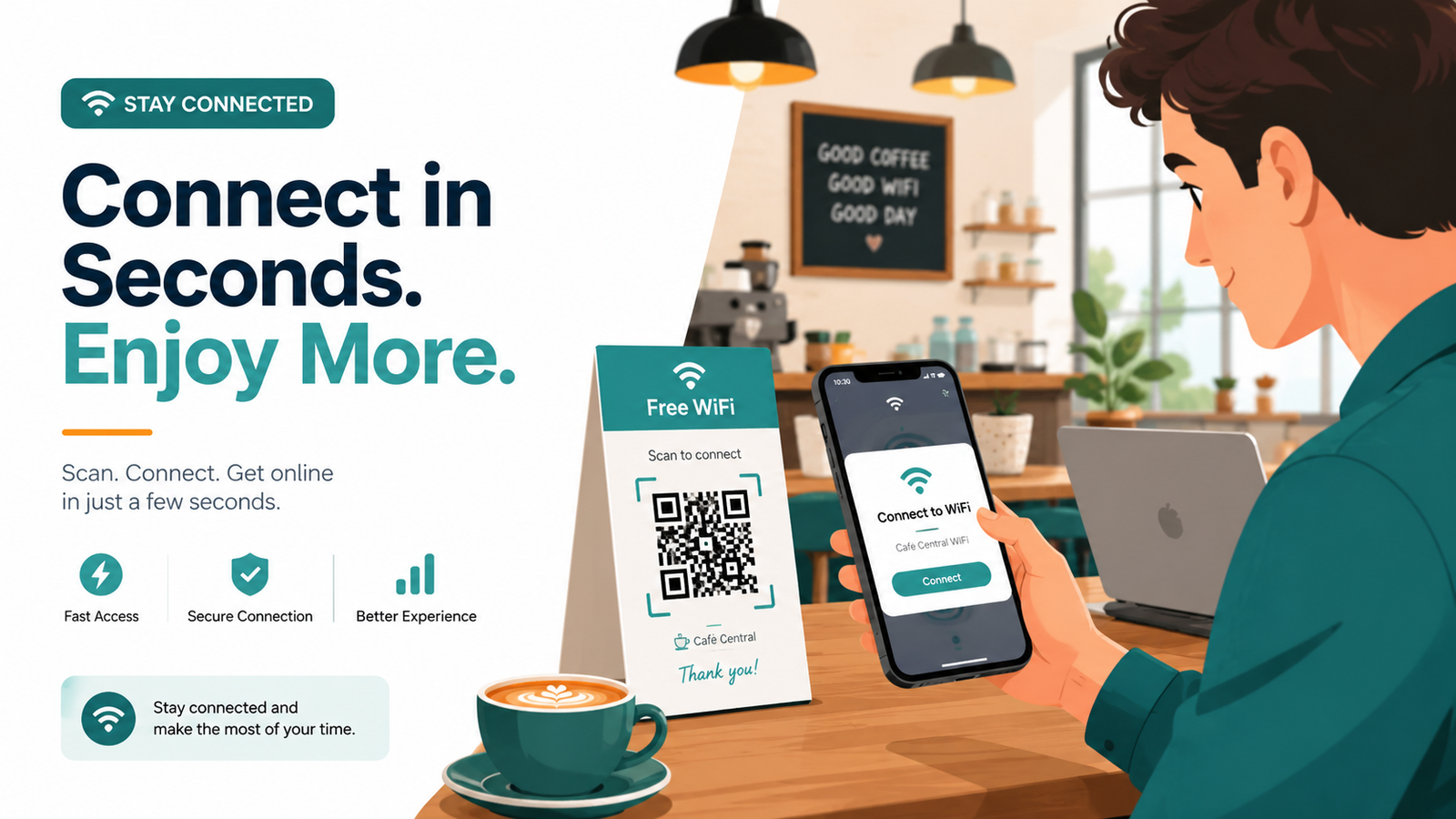
How to Make a WiFi QR Code So Guests Can Connect Instantly
Picture this. A guest walks into your café, settles into a chair, and the first thing they ask is, "What's the WiFi password?" They squint, type it wrong twice, and finally wave you over for help. Multiply that by fifty people a day, and you have a small but constant headache.
A WiFi QR code fixes this entirely. Instead of spelling out a password nobody can remember, you hand people a small square they can scan. Their phone reads it, asks them to join the network, and they tap "Connect." That's the whole process. Below, I'll walk you through what a WiFi QR code actually is, why it's worth setting up, and exactly how to make one for free.
What Is a WiFi QR Code?
A WiFi QR code is a special type of QR code that stores your network name and password in a format phones understand. When someone scans it, their device doesn't open a website. Instead, it recognizes the WiFi details and offers to connect straight away.
The clever part is that the password never has to be typed or even seen. Your guest scans, confirms, and they're online. For anyone who has ever read out a sixteen-character password letter by letter, this feels like a small miracle.
These codes work with the camera app on most modern phones. iPhones running iOS 11 and later read them natively, and the vast majority of Android phones do too. No extra app required for the person scanning.
Why You Should Use a WiFi QR Code
Before we get into the steps, here's why this little square is worth ten minutes of your time.
It saves everyone time. No more dictating passwords or watching people fumble through capital letters and symbols. One scan and they're done.
It cuts down on errors. Complicated passwords get mistyped constantly. A QR code removes the guesswork because the details are already correct inside the code.
It looks professional. A neatly printed code on a table tent or wall sign feels far more polished than a sticky note taped to the router. For cafes, salons, clinics, and hotels, that small detail shapes how guests see your business.
It keeps your real password tidy. You can display the code without writing the actual password in plain sight for everyone walking past.
It works offline. The code itself holds the information, so it doesn't depend on any internet connection to function. Print it once and it keeps working.
What You Need Before You Start
You only need two things, both of which you almost certainly already have.
First, your network name, also called the SSID. This is the name that shows up when you search for WiFi on your phone. Second, your WiFi password, exactly as it is, including any capital letters or symbols.
It also helps to know your security type, which is usually WPA or WPA2 for most home and business routers. If you're not sure, WPA/WPA2 is the safe default for almost every modern setup.
How to Make a WiFi QR Code Step by Step
Here's the simple part. You can have your code ready in under two minutes.
Step 1: Open the WiFi QR Code Generator. Head over to the FastQR WiFi QR Code Generator. There's no signup and nothing to install. The tool runs right in your browser.
Step 2: Enter your network name. Type your SSID exactly as it appears. Capitalization matters here, so "CoffeeHouse" and "coffeehouse" are treated as different names. Get it right and your guests connect without trouble.
Step 3: Add your password. Enter your WiFi password carefully. Double-check it, because a single wrong character means the code won't work. If your network is open with no password, you can leave this blank and set the security type to "None."
Step 4: Choose your security type. Select WPA/WPA2 for most networks. Only pick WEP if you have an older router that specifically uses it, which is rare these days.
Step 5: Generate and download. Click the button to create your code. Once it appears, download it. For printing, an SVG or PDF file keeps the edges sharp at any size. For screens or social posts, a PNG works perfectly.
That's it. Your WiFi QR code is ready to share.
Where to Place Your WiFi QR Code
Making the code is only half the job. Where you put it decides how useful it becomes.
For cafes and restaurants, table tents and small printed cards on each table work beautifully. People sit down, glance at the card, and connect before they even open the menu.
Hotels and guesthouses can add the code to welcome cards, room folders, or a small frame on the desk. It saves your front desk from answering the same WiFi question a hundred times a day.
Offices and co-working spaces often place the code in reception areas and meeting rooms so visitors and clients get online without bothering anyone.
For homes, a tasteful framed card by the entrance or in the guest room is a thoughtful touch. Your visitors will quietly appreciate not having to ask.
Wherever you place it, make sure there's good lighting and the code is large enough to scan comfortably. A code that's too small or tucked into a dark corner defeats the purpose.
Tips to Make Sure Your Code Always Works
A few small habits keep your WiFi QR code reliable.
Keep the code a reasonable size. For a table card, around two inches square is comfortable. For a wall poster seen from a distance, go bigger.
Leave a little white space around the code. That clear border, sometimes called the quiet zone, helps cameras lock onto it quickly.
If you ever change your WiFi password, remember to generate a fresh code. The old one will stop working because it still holds the previous password. This is the most common reason a code suddenly fails, so it's worth noting.
Is It Safe to Share Your WiFi This Way?
This is a fair question, and the honest answer is that it's as safe as sharing your password any other way. The QR code holds the same details you'd otherwise read aloud or write down. Anyone who can scan the code can join the network, just as anyone who reads your chalkboard password can.
If you want an extra layer of safety, many routers let you set up a separate guest network. You can then make a QR code for that guest network alone, keeping your main devices on a private connection. It's a smart move for businesses that want to offer WiFi without exposing their internal systems.
Final Thoughts
A WiFi QR code is one of those small upgrades that quietly improves everyday life. It saves time, removes the frustration of mistyped passwords, and makes your space feel more welcoming and professional. Whether you run a busy café, manage a hotel, work in an office, or just want guests at home to connect without the usual fuss, this is a five-minute fix with lasting value.
You can create your own free WiFi QR code right now using the FastQR WiFi QR Code Generator. No account, no cost, and no more spelling out passwords one letter at a time. Make it once, print it, and let your guests connect with a single scan.